Configure TTS Blocks in the Purple Hub
4 min
Purple Hub
Summary
This article explains how the settings of the blocks on which TTS is applied can be changed in Purple Hub. You can find this setting in your Purple Hub under 'Settings'.
The Purple Hub comes with a standard selection of content blocks on which the TTS is applied for your articles. This allows you to avoid, for example, the text in a button being read out loud and only lets TTS read the article content. This task is typically done once during the initial setup of your TTS.
Preconditions
- Have the 'Administrator' Role in Purple Hub
Standard Selection
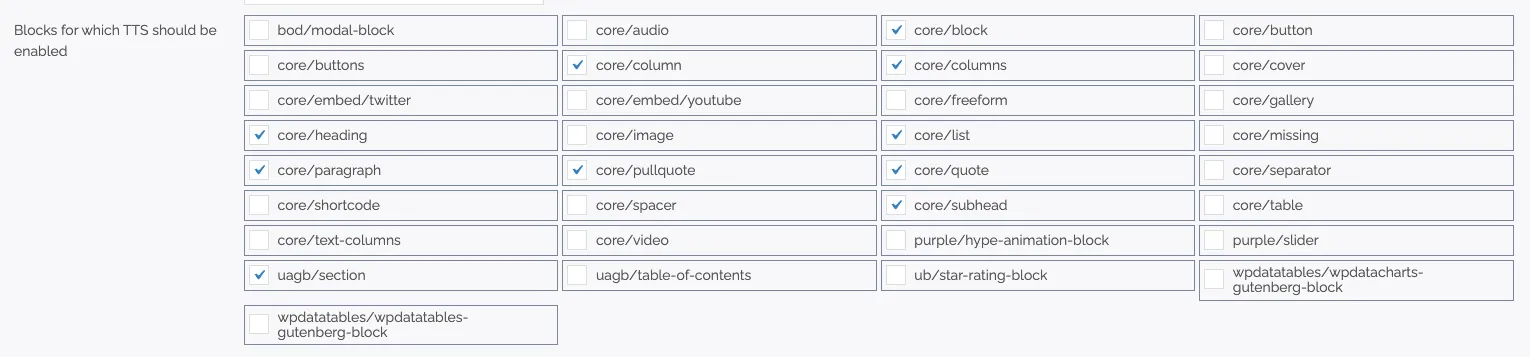
Purple Standard selection for TTS blocks
This standard selection shows on which content blocks TTS is applied. You can change them by checking/unchecking the arrows.