Custom Content ID System
Summary
The Custom Content ID System in Purple Hub provides an additional, configurable identifier alongside the default Post ID. This allows editors and administrators to align with existing client or brand-specific ID systems, streamline migrations from legacy platforms, and create workflows that rely on predictable and easily readable IDs.
Custom Content IDs can be:
- Numeric (e.g., 100). These IDs are auto-assigned.
- Mixed aphanumeric (e.g., M2507, J2412). These IDs are assigned during import.
- Configured per post type (e.g., Articles, Dossiers, Purple Variants)
This guide walks you through enabling, configuring, and using Custom Content IDs in Purple Hub.
Preconditions
Getting Started
Understanding Custom Content IDs
- Purpose: Facilitate smooth migration from legacy systems and support external workflows requiring consistent, human-readable IDs.
- Scope: Can be applied to any supported post type, but configuration may vary depending on business needs.
Configuration
Navigate to the Purple DS HUB settings in your Purple Hub:
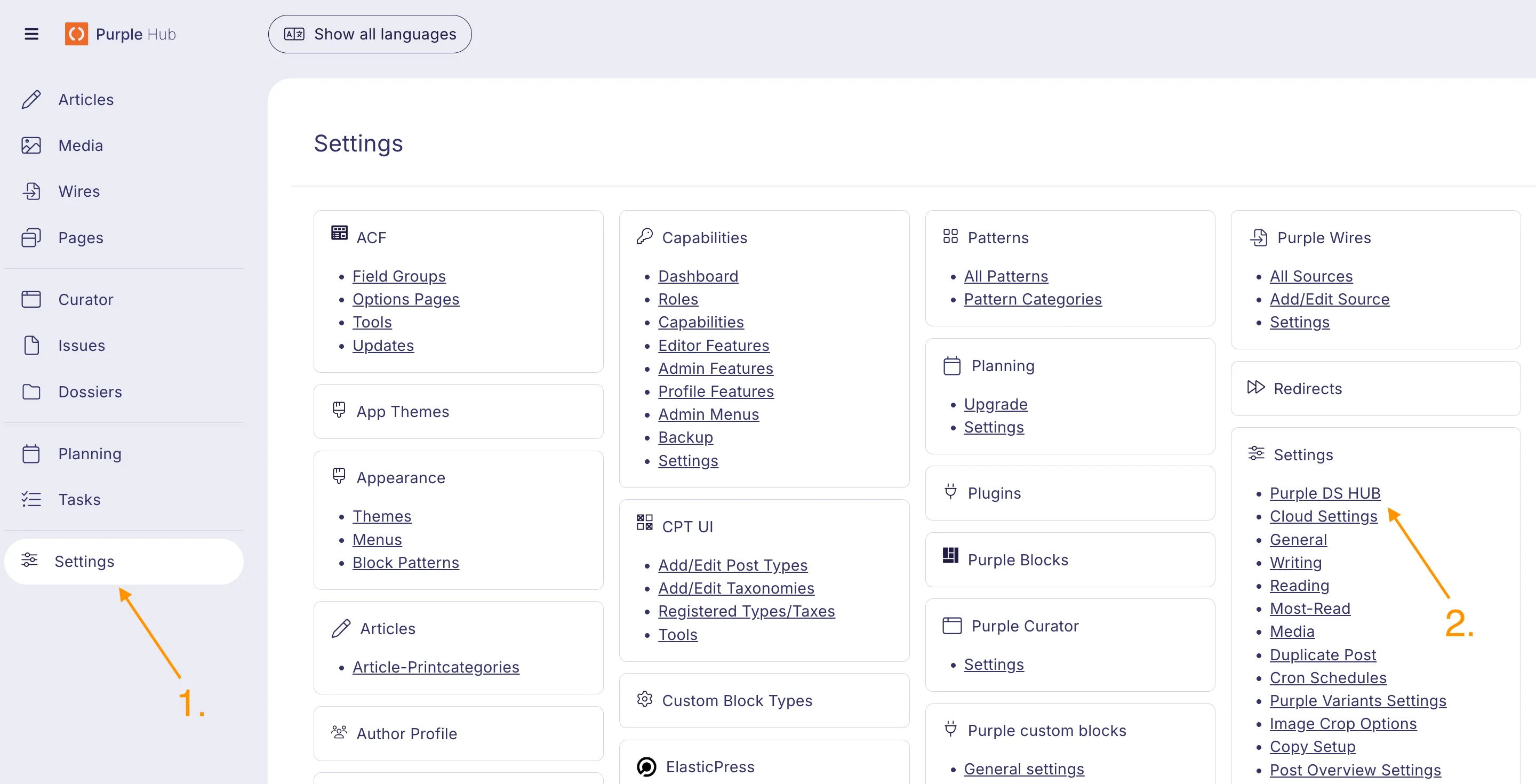
Locate the Content ID fields on the Purple DS HUB Settings page:
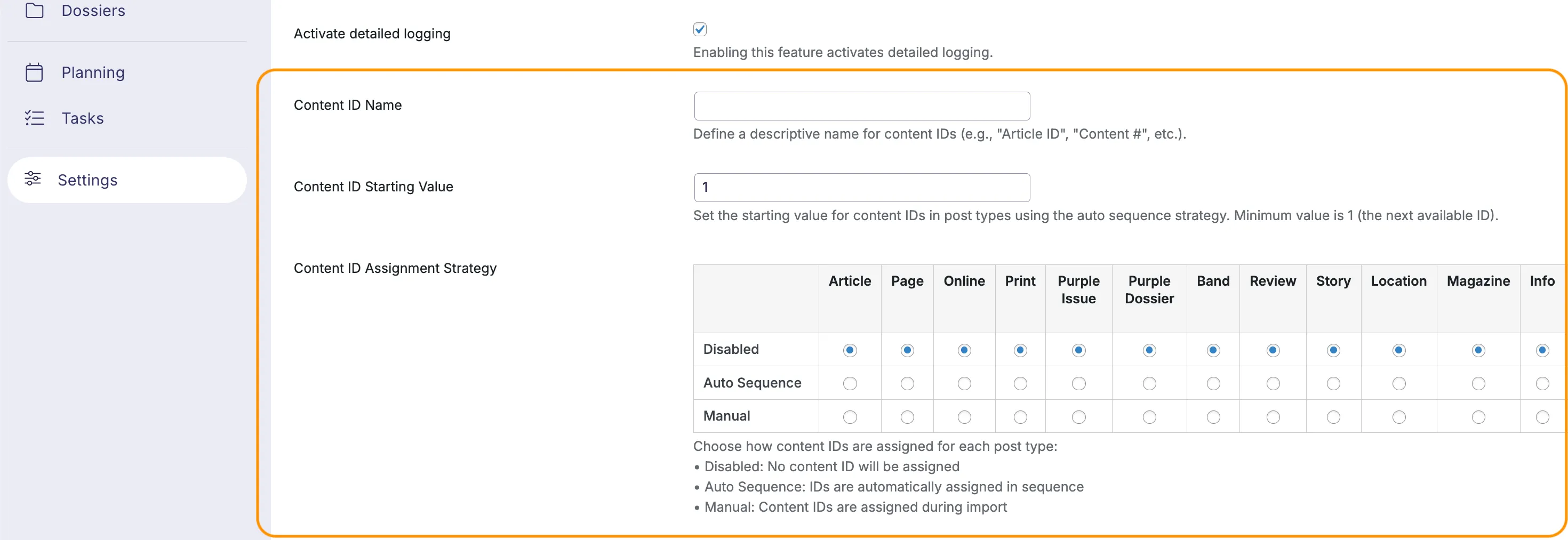
Configuration Options
The behavior of the Custom Content ID system is managed by several fields:
- Content ID Name: Here you can define a name for your Hub's Content IDs. This is used to describe the field in the Post Overview and Editor interfaces.
- Content ID Starting Value: The value in this field defines the starting point for the numeric Content ID sequence. This will serve as the next automatically assigned Content ID.
- Content ID Assignment Strategy: A Content ID assignment mechanism can be configured for each of the Hub's supported content types. The three assignment strategies are described below.
ID Assignment Strategies
When configuring a post type, you can choose one of three assignment strategies:
- Disabled – No ID is assigned to these content types.
- Auto Sequence – Numeric IDs are generated automatically by the system based on a starting value.
- Manual – IDs are supplied via the import API. These IDs can contain any alphanumeric character. Nonnumeric values will be ignored by the auto-sequencing logic.
Scheduled Posts
Custom Content IDs are only assigned when a post enters Draft or Publish status. Scheduled posts without these statuses will not have a Custom Content ID.
How IDs Are Displayed
- Editor View – Shown at the bottom of the editor page.
- Post Overview Table – Displayed as a sortable column.
Purple Importer
When creating and updating content with the Manual assignment strategy via the Purple Importer, Content IDs can be set with the contentId property.