Enable Purple Blocks
5 min
Purple Hub
Summary
In order to use Purple Blocks, the feature needs to be enabled in Purple Hub first. This article guides you through the setup.
Preconditions
- Have a Super Admin role in Purple Hub to enable the feature. If you don't have this role, talk to us, so that we can enable it for you. Open a Support Helpdesk ticket
Setup
Purple Hub
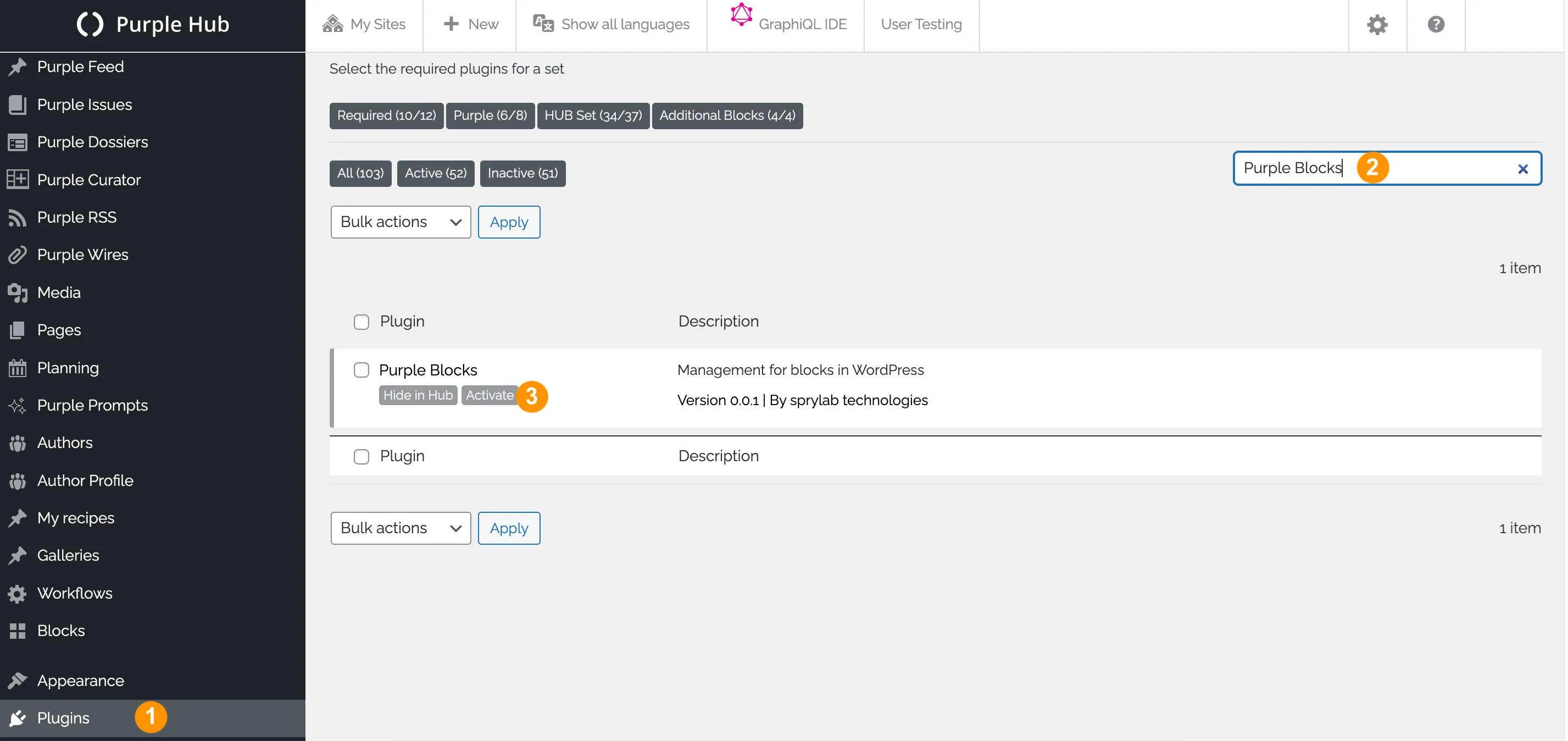
- In Purple Hub, navigate to 'Plugins'
- Search for 'Purple Blocks' in the search field
- Next to Purple Blocks, click on 'Activate' to enable the feature
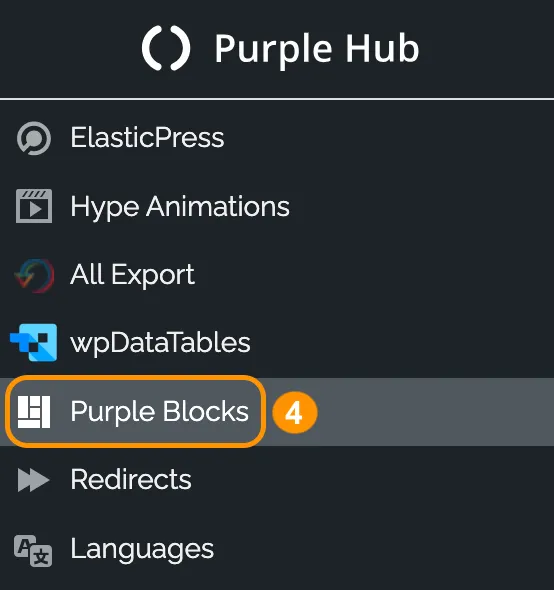
- 'Purple Blocks' is now displayed in your left hand side bar
Purple Hub menu