The New Hub Design
This document provides an overview of the newly updated Hub interface, with details on the reorganized menu structure and how to access frequently used sections. It outlines the key navigational elements and highlights how the streamlined design minimizes clicks and reduces visual clutter. It is intended to help users familiarize themselves with the interface changes and quickly locate the features they need.
Overview of Key Changes
- Reorganized Menu Structure
- The left-hand menu now follows a more logical order to simplify navigation.
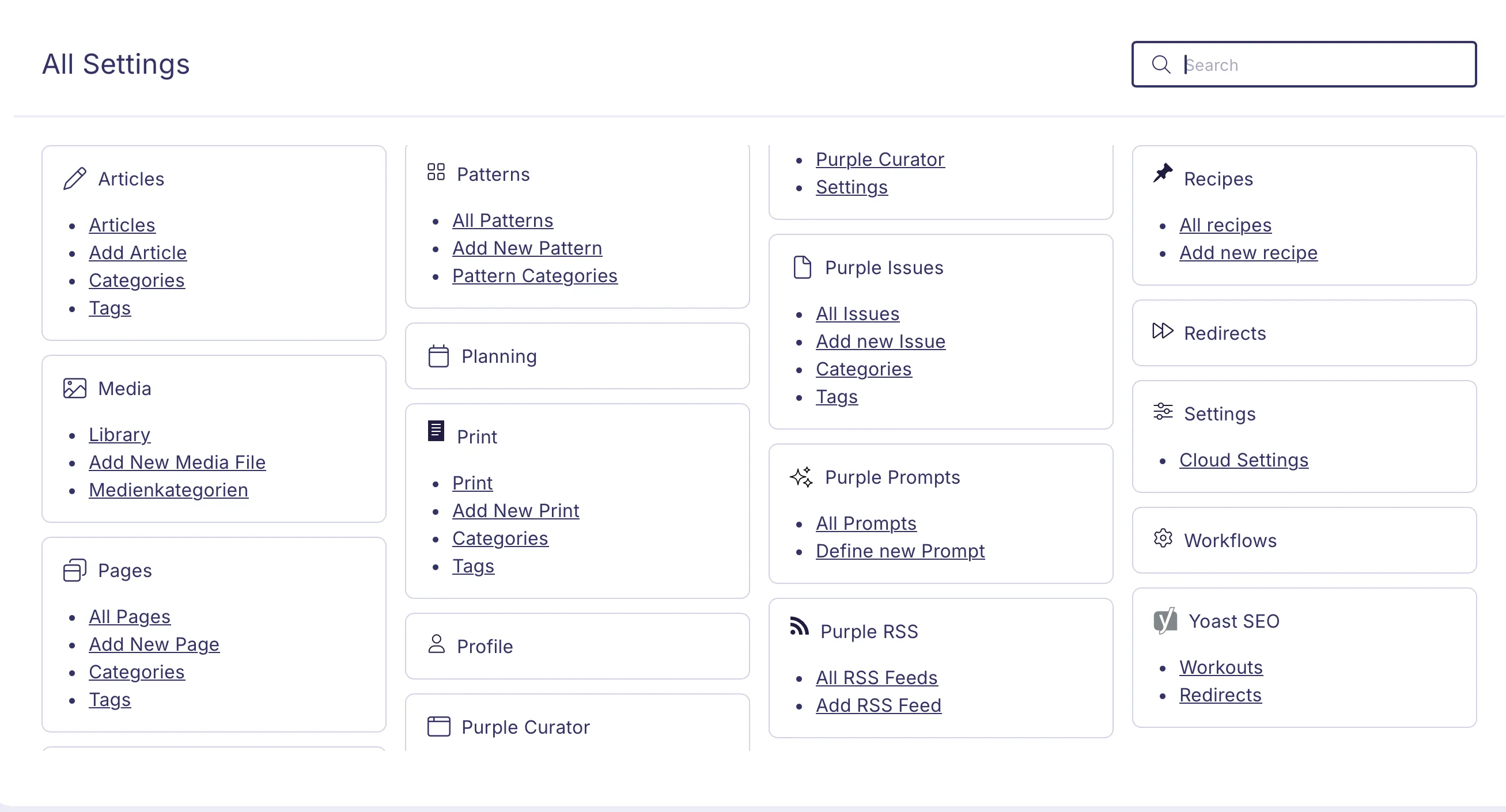
- Frequently used features remain easily accessible, while lesser-used items are grouped under All Settings.
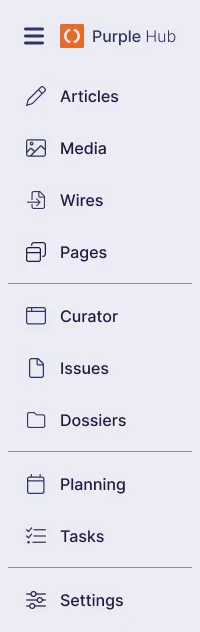
- The top-level navigation includes the following items:
- Articles
- All Articles
- Displays all article types in a single overview; searching here searches across all articles.
- Articles (default)
- These are the standard articles, referred to as 'posts' in WordPress. If no additional post types are configured, these are the default post type.
- Variants and Custom Post Types
- Variants and custom post types; their display order can be configured in Settings.
- Media
- Wires (if Purple Wires is activated)
- Pages
- Curator
- Issues
- Dossiers (if Dossiers is activated)
- Planning (if Social Media Content is activated)
- Tasks (if Workflows is activated)
- Settings
- Direct Path to Content
- The Hub now opens directly to the Post Overview, removing the extra step of navigating past a dashboard.
- You can begin working on your content immediately without additional clicks.
- Unified and Modern Design
- A consistent look and feel across the interface reduces visual clutter.
- Updated styling and interaction patterns foster a more focused and efficient working environment.
Why Should You Switch to the New Design?
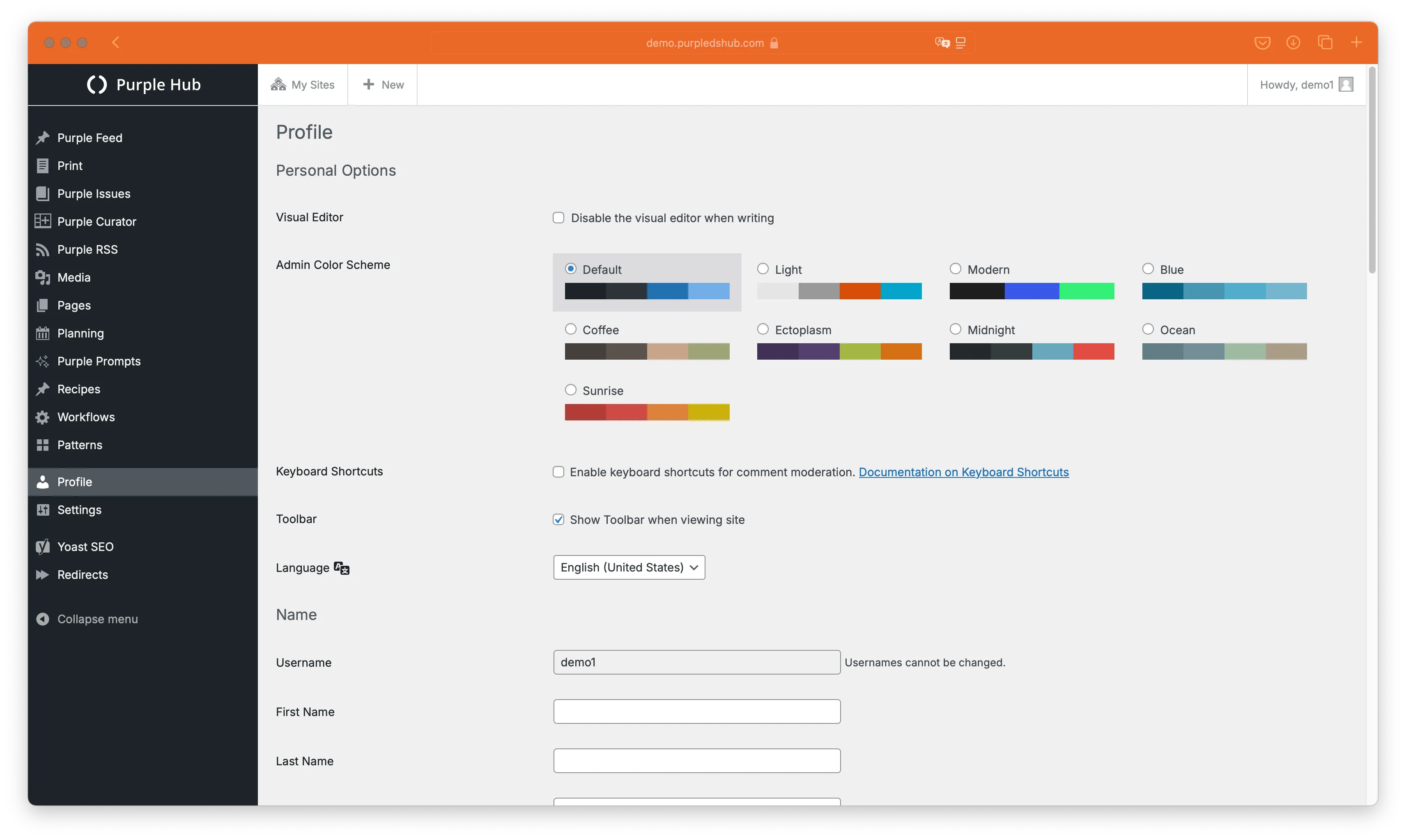
Switching to the new design offers more efficient navigation and faster access to crucial content. By consolidating infrequently used settings and surfacing primary tools, the updated interface reduces the time spent searching for features and provides a cleaner, more intuitive user experience. The result is a smoother workflow, consistent styling across modules, and improved performance across the platform.
How to Use the New Hub Design
- Navigate the New Menu Structure
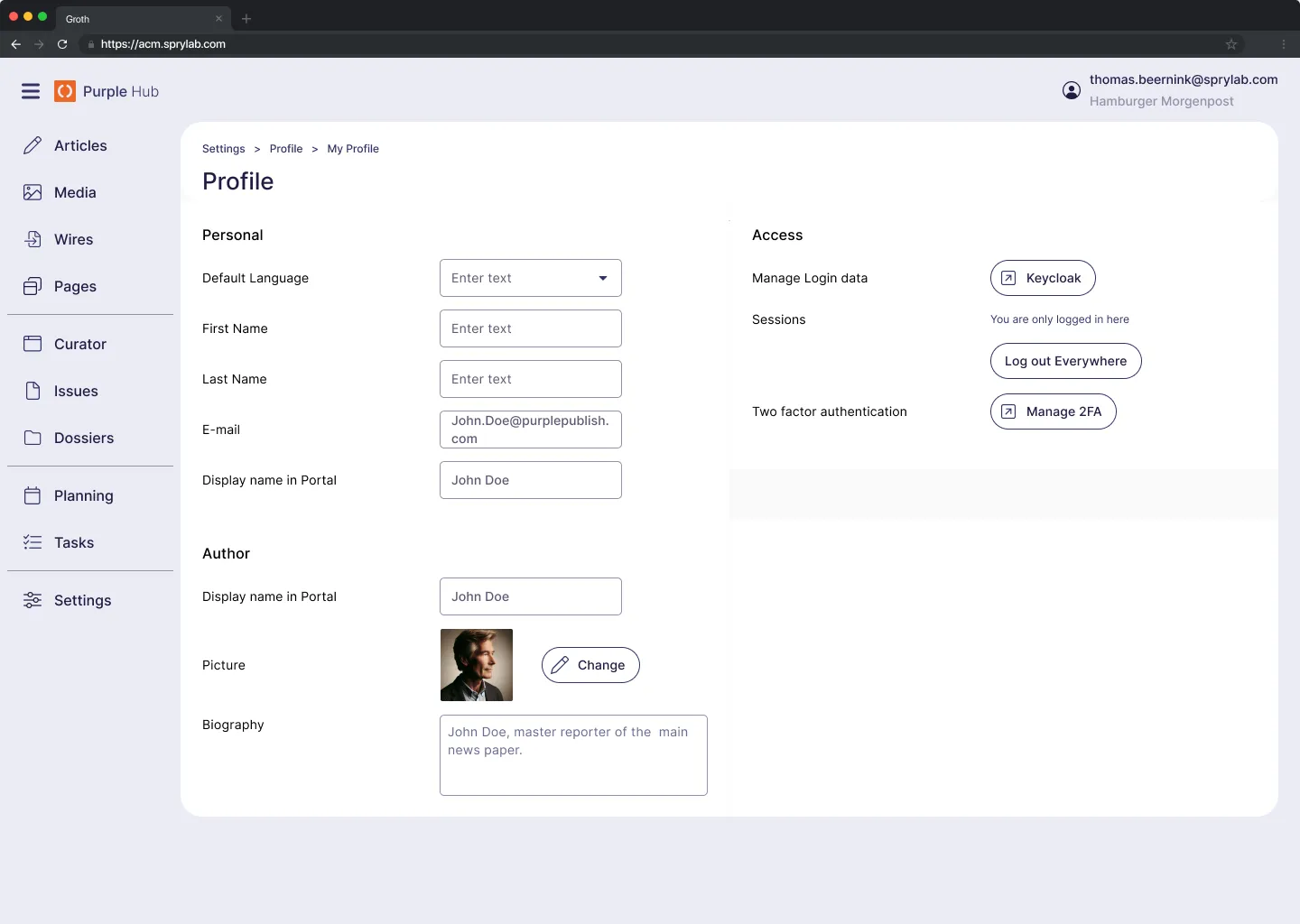
- Review the reorganized menu on the left, which aligns features in a clear, intuitive order.
- Explore the consolidated Settings section for items that are used less often but remain essential.
- Start Directly with Content
- Upon logging in, you will land on the Post Overview page.
- Begin creating or editing posts without needing to navigate through a separate dashboard screen.
- Explore the Unified Interface
- Experience consistent styling and reduced clutter throughout the platform.
- Take advantage of streamlined workflows that help you stay focused on creating and managing content.
Key Facts
- Design Philosophy
- The New Hub Design replaces an older, organically grown interface with a deliberately crafted experience.
- This new design will be rolled out to all Purple tools.
- Menu Reorganization
- The most important features remain readily visible.
- Less frequently used functionalities are neatly grouped under the Settings category.
- Direct Access to Content
- The Post Overview now serves as your default landing page, eliminating the need to navigate away from a dashboard.
- Enjoy a more intuitive and distraction-free environment for managing your posts.
FAQs
- Features
- Q: Are there any features that are lost using the new Hub design?
- A: No, everything that was available in the old design is still available in the new design.
- Findability
- Q: Where can I find X?
- A: All sidebar items are now under All Settings. There is a search box in the top right: typing there highlights the matching item and greys out all others.
- Reliability
- Q: Was the new design thoroughly tested?
- A: As with all software that we release, the new design has undergone both manual and automated testing. Additionally, the new design has been used by customers in production since February 2025 without any issues.
- Making the switch
- Q: How can we get the new Hub design?
- A: Every Admin can activate the new design. If you have not yet activated the new Post Overview, please do so first. Our Customer Success team can assist you with the activation. See Activate the new Hub design.
- System Requirements
- Q: Do the technical requirements change with the new design?
- A: The new design uses a modern front-end framework, but the overall system requirements (supported browsers, OS) remain the same. If you are using a current browser version, you are good to go.
- Access and Permissions
- Q: Will existing user roles and permissions be affected?
- A: All current user roles and permissions remain intact. The new design simply reorganizes how you access those features. No migration steps are required.
- Security and Compliance
- Q: Does the redesign introduce any new security concerns?
- A: No, our security standards remain the same. We have updated the interface for performance and usability, maintaining existing compliance measures.
- Compatibility and Integrations
- Q: Will our integrations or plugins break after the update?
- A: All existing integrations should continue to work seamlessly. We recommend testing in a staging environment to confirm everything is functioning normally.
- Performance Improvements
- Q: How does the new design improve performance?
- A: We have implemented a new technical foundation to speed up page loads. Fewer full-page reloads mean less waiting and more efficient navigation.
- Training and Rollout
- Q: Do we need to provide additional training for users?
- A: While the interface looks new, the core functionality remains familiar. A brief introduction or video demonstration should suffice for most teams.
- Support and Troubleshooting
- Q: Where do we go for help if something is not working?
- A: Our support channels remain the same: the helpdesk portal and documentation. If you encounter any issues, open a ticket and our team will assist promptly.
- Change Management
- Q: How do we manage user feedback or requests for customization?
- A: Encourage users to submit feedback via our standard process. Our product team actively reviews suggestions to further refine the design.