Logging raw events
For a better understanding of what events are being logged in your App Analytics, it is possible to enable debug logging of raw tracking events.
It is only possible to enable this feature on the preview version of a Purple App or Purple Website.
Prerequisites
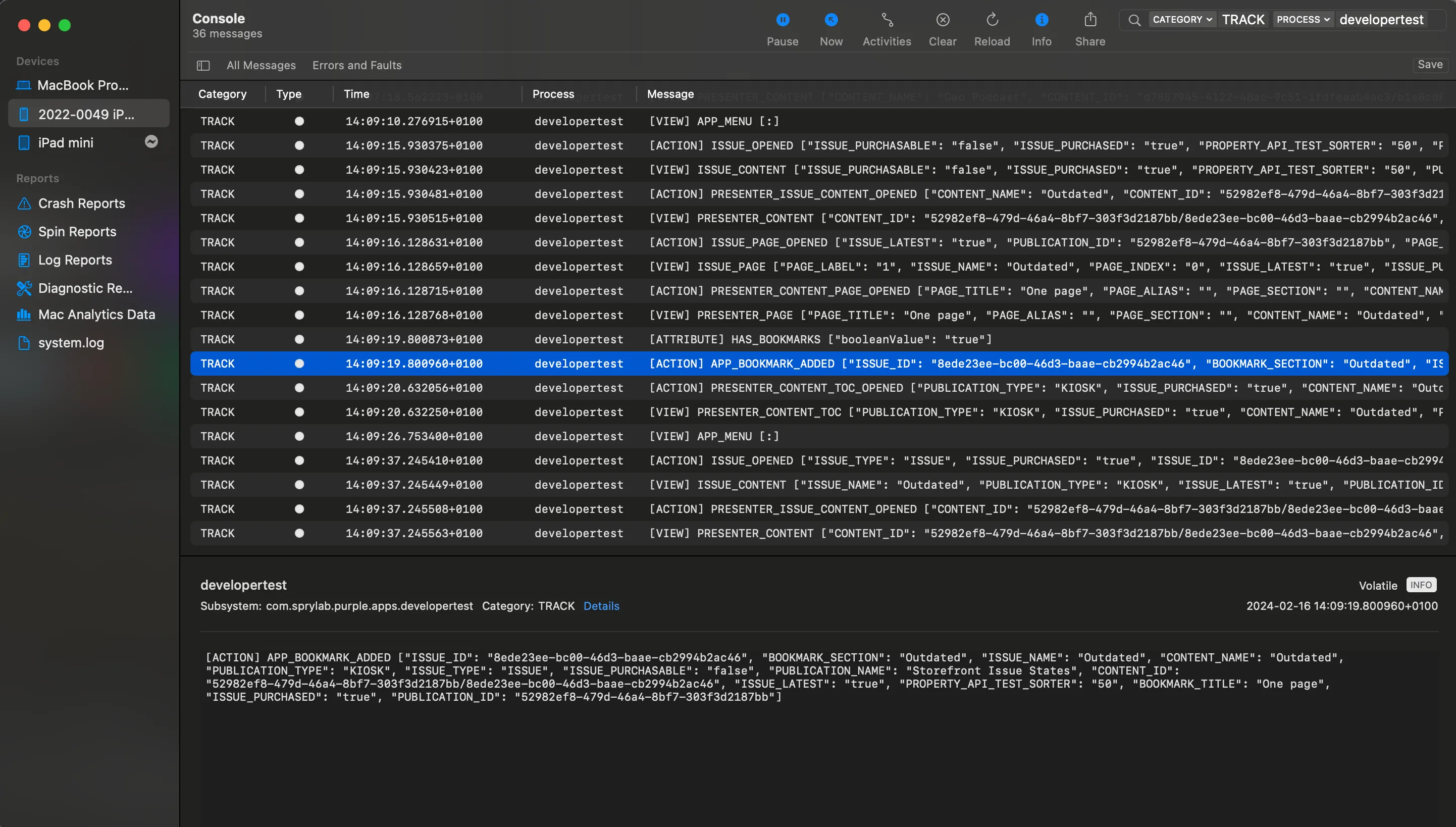
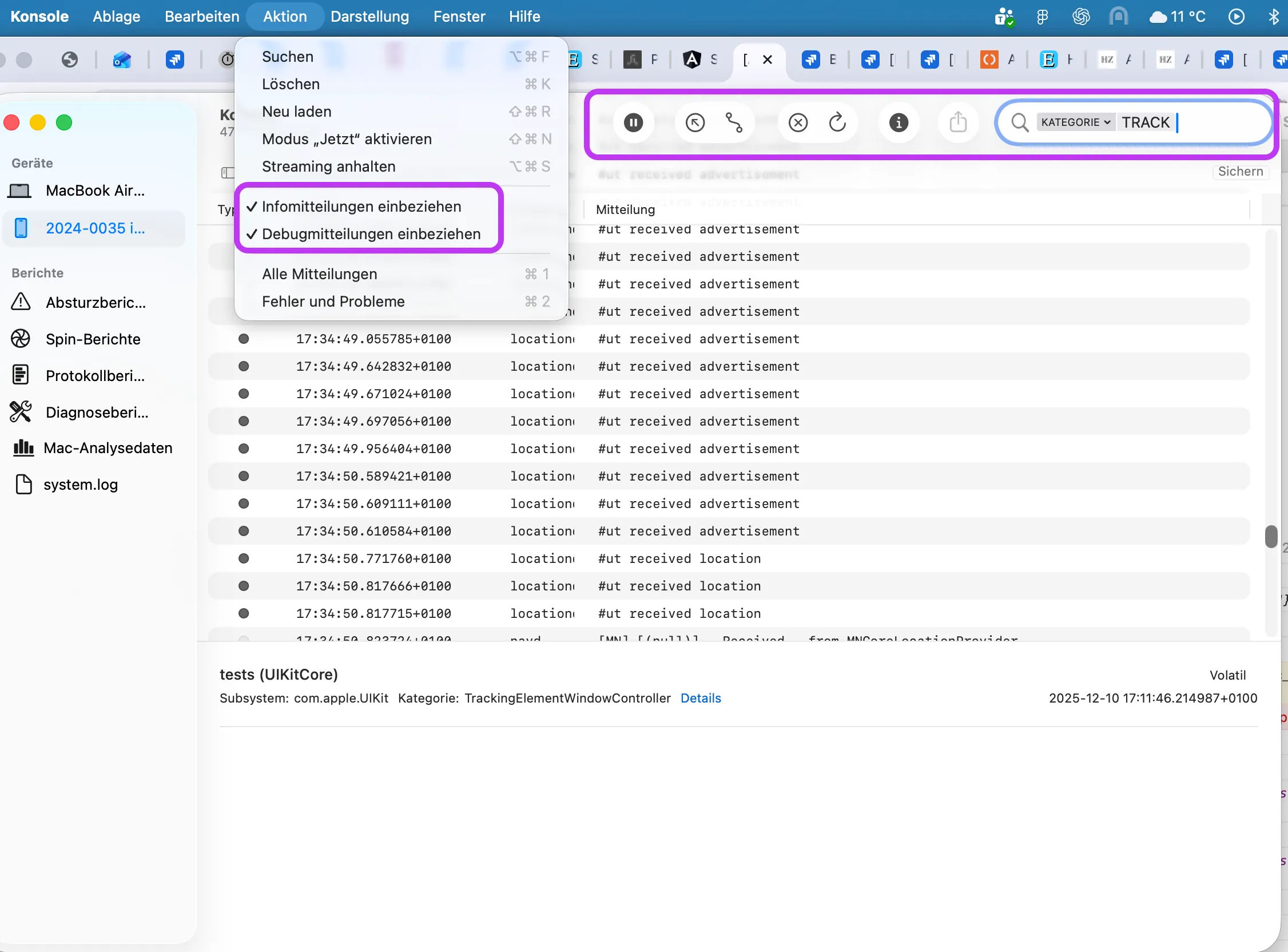
To setup the feature in iOS apps, the following requirements must be met
- a device connected via USB with enabled safari inspector, see Inspecting the Purple Experience in iOS apps
- a mac OS device with Safari and the Console app
Enabling and disabling logging
Open the web developer tools in your browser.
Depending on the browser, opening the developer tools might require different steps. Please see the documentation of the corresponding browser how to open them.
In the developer tools, open the console tab and paste the following line and then press enter:
purple.tracking.debug({logging: true})This setting is persisted and stays enabled even after app restarts or the page reloads until the same command is executed with the value false instead of true.
Reading the logs
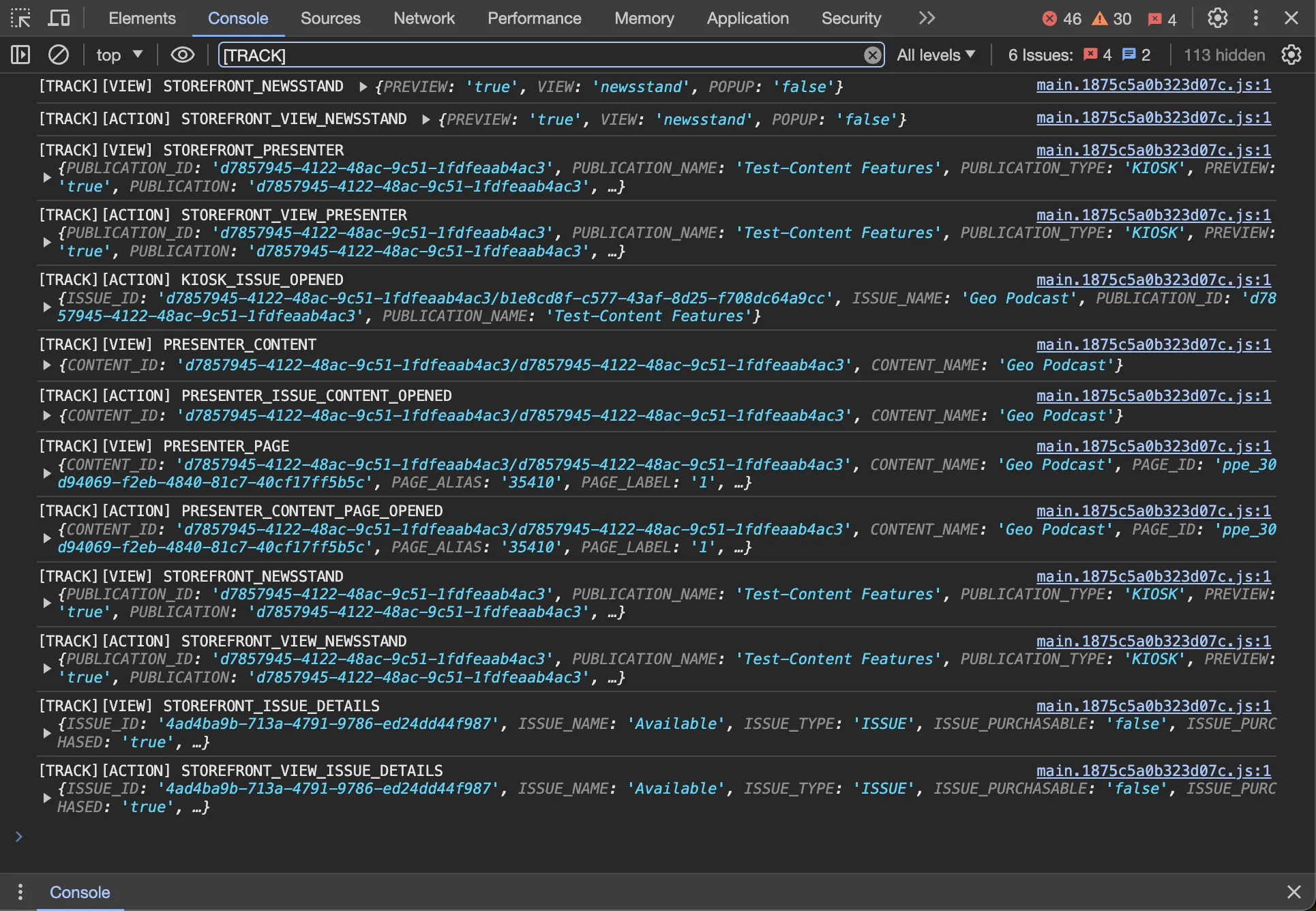
In web, these logs always start with [TRACK], so to only show these tracking events, it is recommended to type [TRACK] into the search field of the logs.
The logs appear in the same console where the command to enable logging was executed.
Structure of the logs
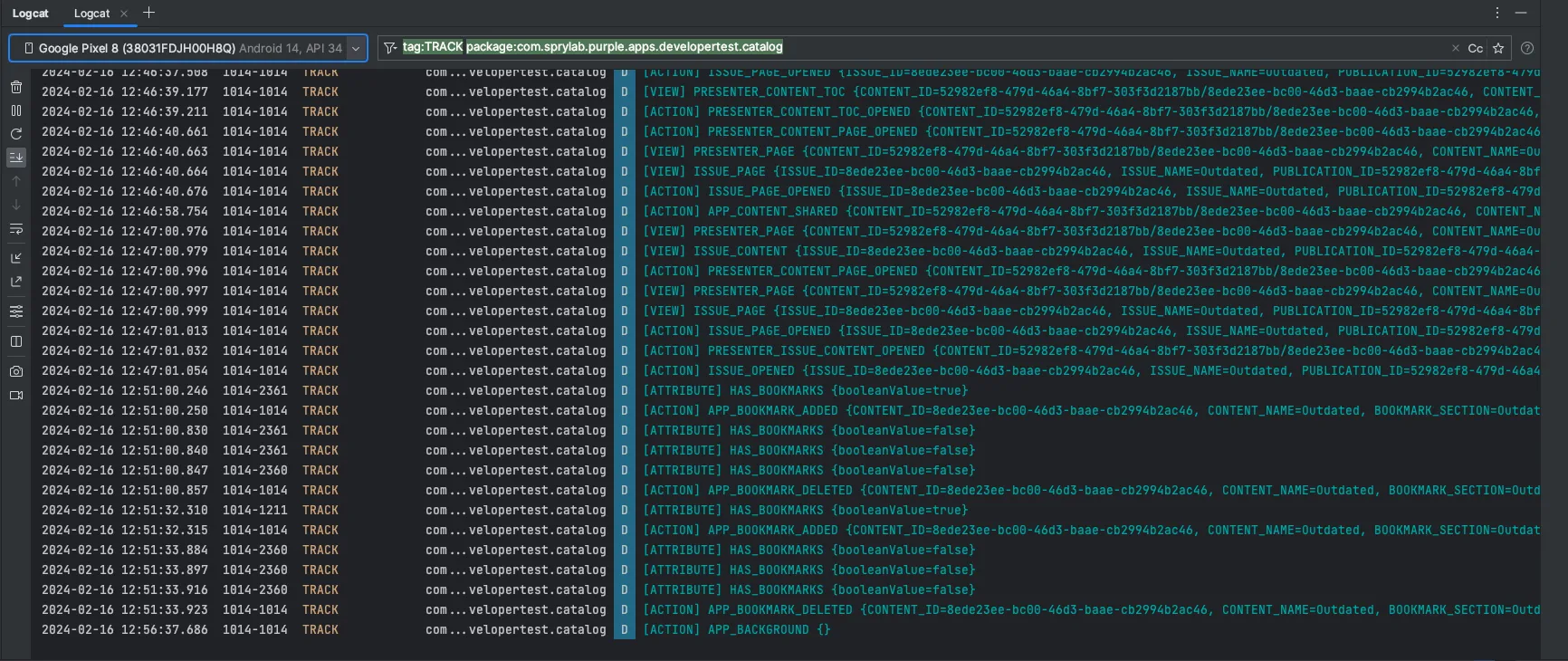
The logs have the same structure on all platforms, it following this pattern:
TYPE is one of ACTION, VIEW, PURCHASE and ATTRIBUTE which all correspond to the event types described in the following sections.
- View events
- Attributes
KEY is the key of the event as described in the above sections.
PLACEHOLDERS are key-value pairs of the placeholders available for the given event and their corresponding values.
Note that these events and their placeholders is just the raw data that is available and that does not mean that all those events are being sent to tracking services.
This data is meant to visualise the options one can use to configure the tracking_config.json, see Tracking Configuration and depending on that configuration and consent of the user, the final tracking data might be different.
Examples
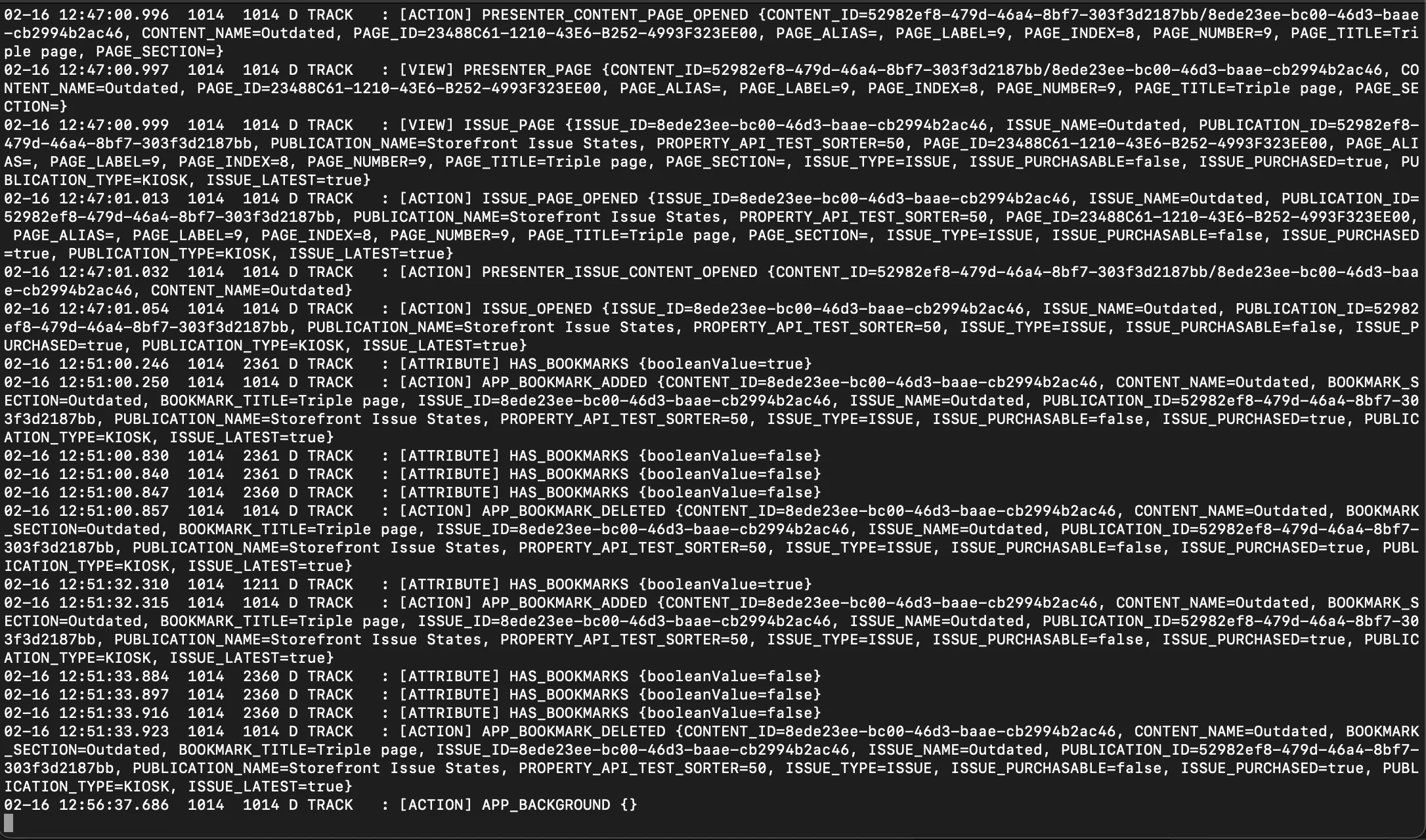
Console app