Pagination
In Experience, lists use infinite scrolling by default. When the user scrolls to the bottom of the list, more data is automatically loaded until the end of the dataset is reached.
By default:
- Each load adds 24 items
- This value can be overridden using the Batch Size field in the data source configuration.
If you want to disable infinite scrolling, you must define a limit in the data source. Once a limit is set, the list will not auto-load more items when scrolling.
This document covers:
- Default infinite scrolling behavior
- Manual pagination (next/previous buttons, no infinite scrolling)
1. Infinite Scrolling (Default Behavior)
Behavior
- Data loads automatically when scrolling to the bottom
- Each batch loads 24 elements by default
- Continues until all data is loaded
Configuration
In the List Component → Datasource settings:
- ✅ Data source enabled
- 🔢 Batch Size (optional): override default 24 items per load
- ❌ Do not set a limit → infinite scrolling remains active
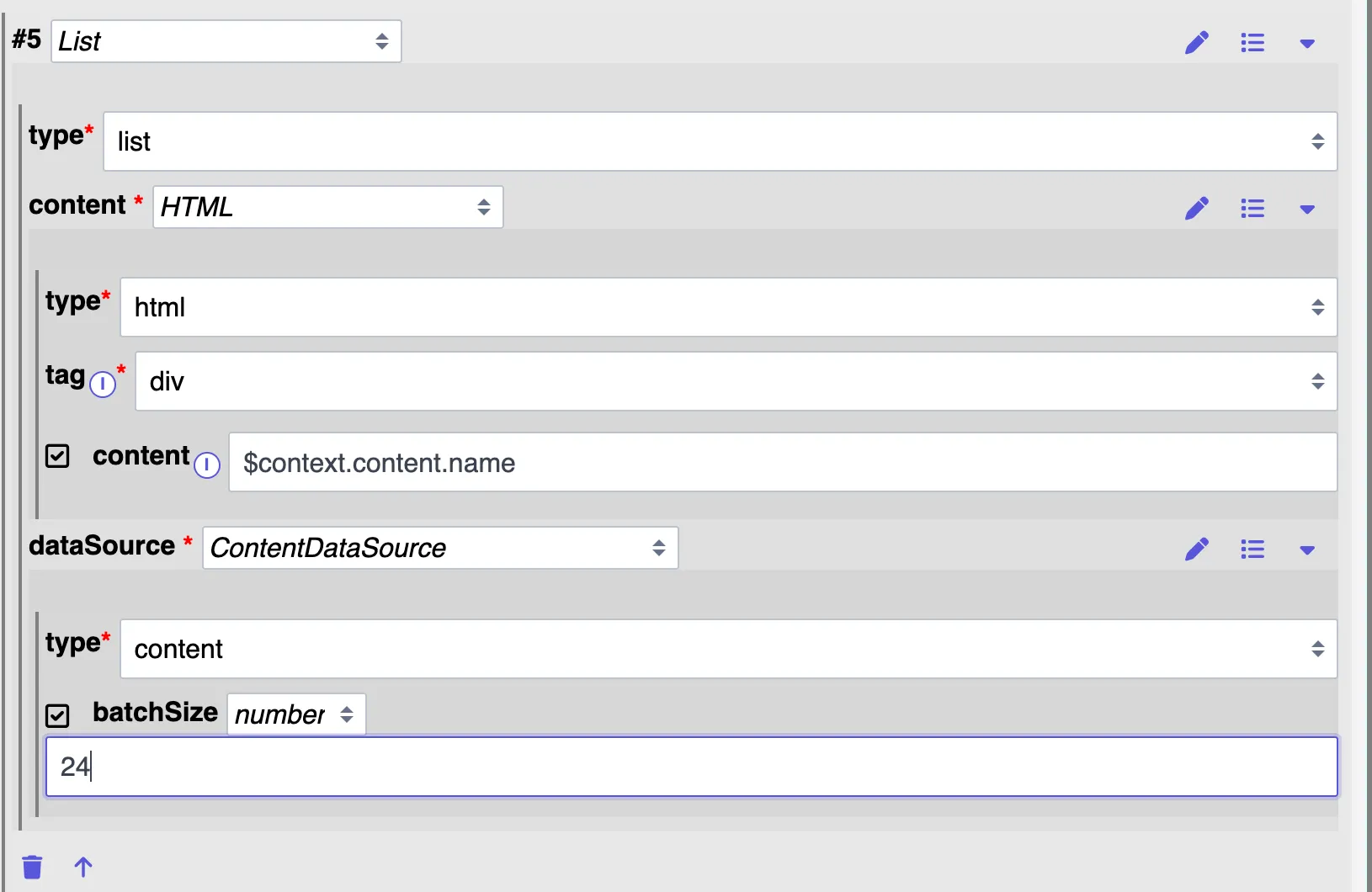
{
  "content": {
    "tag": "div",
    "type": "html",
    "content": "[]"
  },
  "dataSource": {
    "type": "content",
    "batchSize": 24
  },
  "type": "list"
}
2. Manual Pagination (No Infinite Scrolling) ( PXP 5.1.0 )
Goal
- Display a fixed number of items (e.g. 10)
- No automatic loading on scroll
- Navigation only via Next and Previous buttons
Concept
Pagination is controlled using:
- A limit on the datasource
- A cursor/offset stored in context
- Buttons that modify the offset via navigation params
Required Components
To implement manual pagination, configure 3 components:
- List Component
- Previous Button
- Next Button
2.1 List Component Configuration
Step 1 - Enable Data Source
In List Component → Datasource:
- ✅ Enable datasource
- Choose the datasource type as needed
Step 2 - Limit (Page Size)
Set:
- Limit = 10 (or any page size you want)
This ensures:
- Only 10 elements are shown
- Infinite scrolling is disabled
Step 3 - Cursor / Offset
Add Cursor field:
- Value: $context.offset
- Condition: $context.offset IS SET
This allows the data source to know:
- From which position should it load data
💡 You may name the parameter something else (e.g. pageOffset), but then all references must use $context.pageOffset.
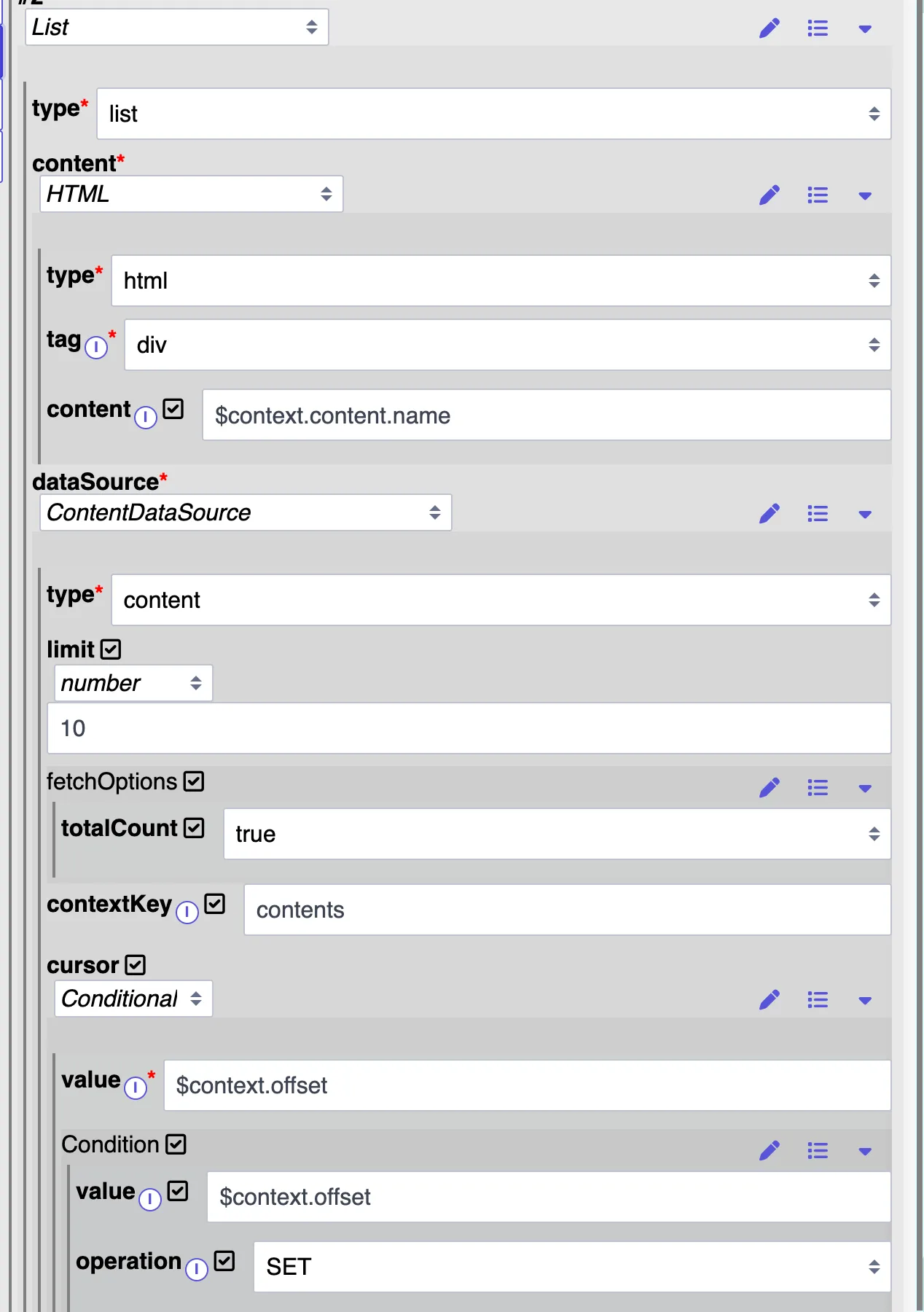
{
  "content": {
    "tag": "div",
    "type": "html",
    "content": "$context.content.name"
  },
  "dataSource": {
    "type": "content",
    "limit": 10,
    "fetchOptions": {
      "totalCount": true
    },
    "contextKey": "contents",
    "cursor": {
      "value": "$context.offset",
      "condition": {
        "value": "$context.offset",
        "operation": "SET"
      }
    }
  },
  "type": "list"
}
2.2 "Previous" Button Configuration
Visibility Condition
Button is shown only when:
This prevents showing "Previous" on the first page.
Tap Action
Set Tap Action → Navigation:
- Path: current path
- Params:
- Key: offset
- Value:
This:
- Decreases offset by page size
- Loads previous set of elements
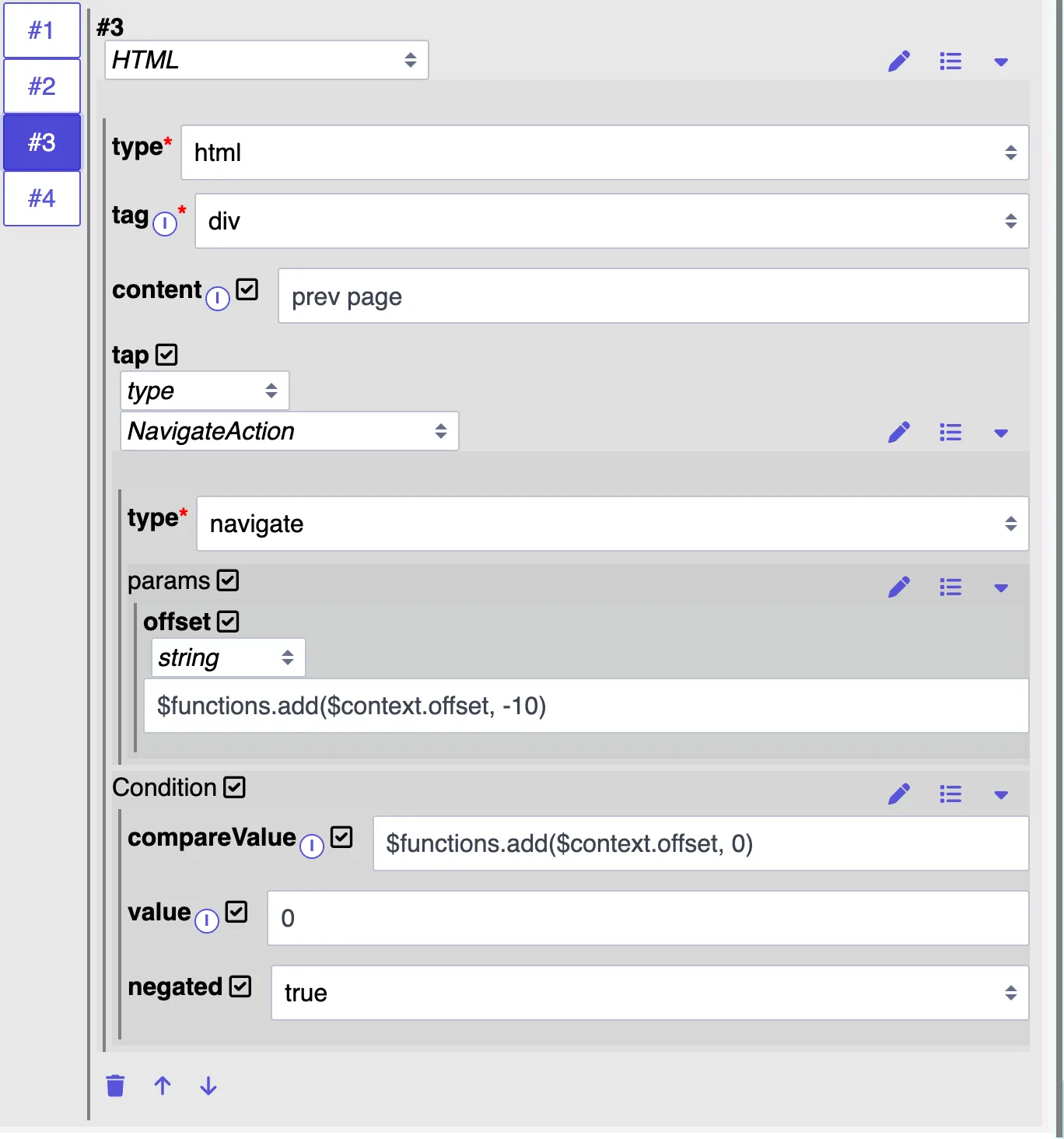
{
  "tag": "div",
  "type": "html",
  "content": "prev page",
  "tap": {
    "type": "navigate",
    "params": {
      "offset": "$functions.add($context.offset, -10)"
    }
  },
  "condition": {
    "compareValue": "$functions.add($context.offset, 0)",
    "value": "0",
    "negated": true
  }
}
2.3 Next Button Configuration
Visibility Condition
Button is shown only when:
Where:
- contents = datasource result
- hasNextPage indicates more data is available
Tap Action
Set Tap Action → Navigation:
- Path: current path
- Params:
- Key: offset
- Value:
This:
- Increases offset by page size
- Loads next set of elements
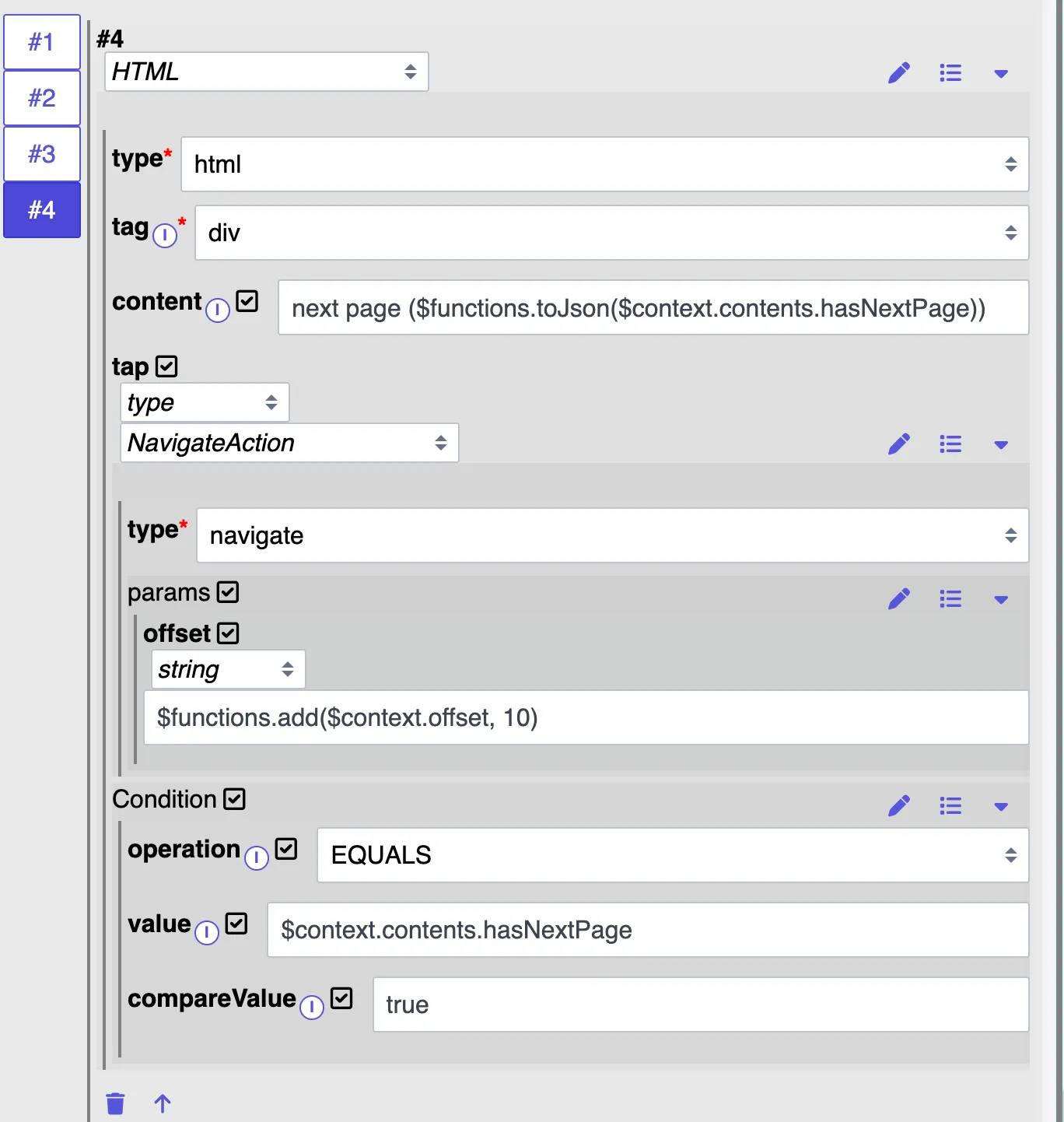
{
  "tag": "div",
  "type": "html",
  "content": "next page",
  "tap": {
    "type": "navigate",
    "params": {
      "offset": "$functions.add($context.offset, 10)"
    }
  },
  "condition": {
    "operation": "EQUALS",
    "compareValue": "true",
    "value": "$context.contents.hasNextPage"
  }
}
2.4 functions
add add and toJson functions to custom.server.js
window.$functions = {
    toJson: (val) => JSON.stringify(val, null, 2),
    add: (val, plus) => parseInt(val ?? '0') + plus
}
Summary
Feature | Infinite Scrolling | Manual Pagination |
|---|---|---|
Auto-load on scroll | ✅ Yes | ❌ No |
Uses limit | ❌ No | ✅ Yes |
Uses offset/cursor | ❌ No | ✅ Yes |
Requires buttons | ❌ No | ✅ Next / Prev |
Page size control | Batch Size | Limit |