Redirecting views
In the Purple Experience, a Redirect View can be used to either statically or dynamically redirect the user to a different page.
Note that Redirect in Views must not be used for content redirects; they are handled by the Purple Hub. Learn more about Purple Redirects
Field | Description |
|---|---|
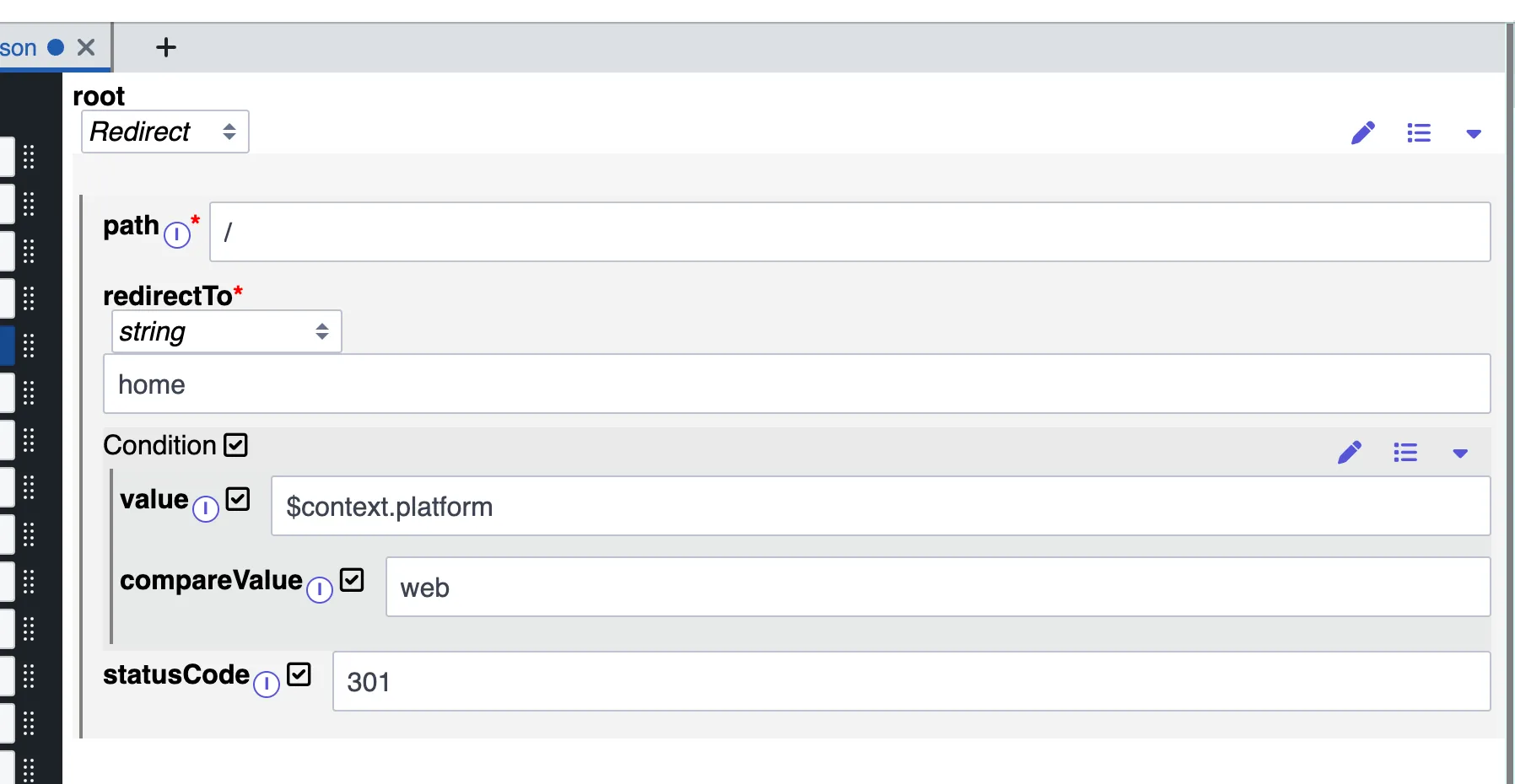
path* | Under which URL the page should be redirected. |
redirectTo* | The designated target view path to which it redirects. Can be either a string, i.e. the path to redirect to, or a NavigationAction, which allows additional configuration, such adding query params. |
condition | A condition which needs to be fulfilled if the redirect is to be performed. Redirect will always be performed if not specified. |
statusCode | In the context of Server-Side Rendering (SSR), when this code is used to send an HTTP redirect, it does not impact client-side routing. |
Here is an example of Redirect View:
Redirects in split views
While upon migration of the classic views JSON to split-view approach ( see View configuration ), redirects are migrated for backwards compatibility, we recommend utilizing the Dynamic URL ResolvingURL resolver for creating any needed redirects for views. We are going to remove redirects in the views.json entirely at some point.