Print Images
The Print Images feature in Purple DAM allows you to manage high-resolution print files alongside their web-optimized counterparts. This is particularly useful for workflows that require both web publishing and print production, such as integration with Adobe InDesign through via PPI.
Enable Print Images
To activate the Print Images feature:
Prerequisite: The Print Images feature requires the new Purple DAM to be active. See also Media (Purple DAM)
Currently Print Images is not supported by PPI/Starlink and should be disabled. When disabled Print files like PSD and TIFF will not be transformed and will be given the MIME type: Image.
- As an Admin, Navigate to Settings > Media > General
- Locate the Enable Print Images option
- Set it to Enabled
When disabled, all print file functionality is hidden from the Purple DAM plugin interface.
Adding Print Variants to Images
There are two ways to work with print images:
Attach a Print Variant to an Existing Image
- Open an image in the media library
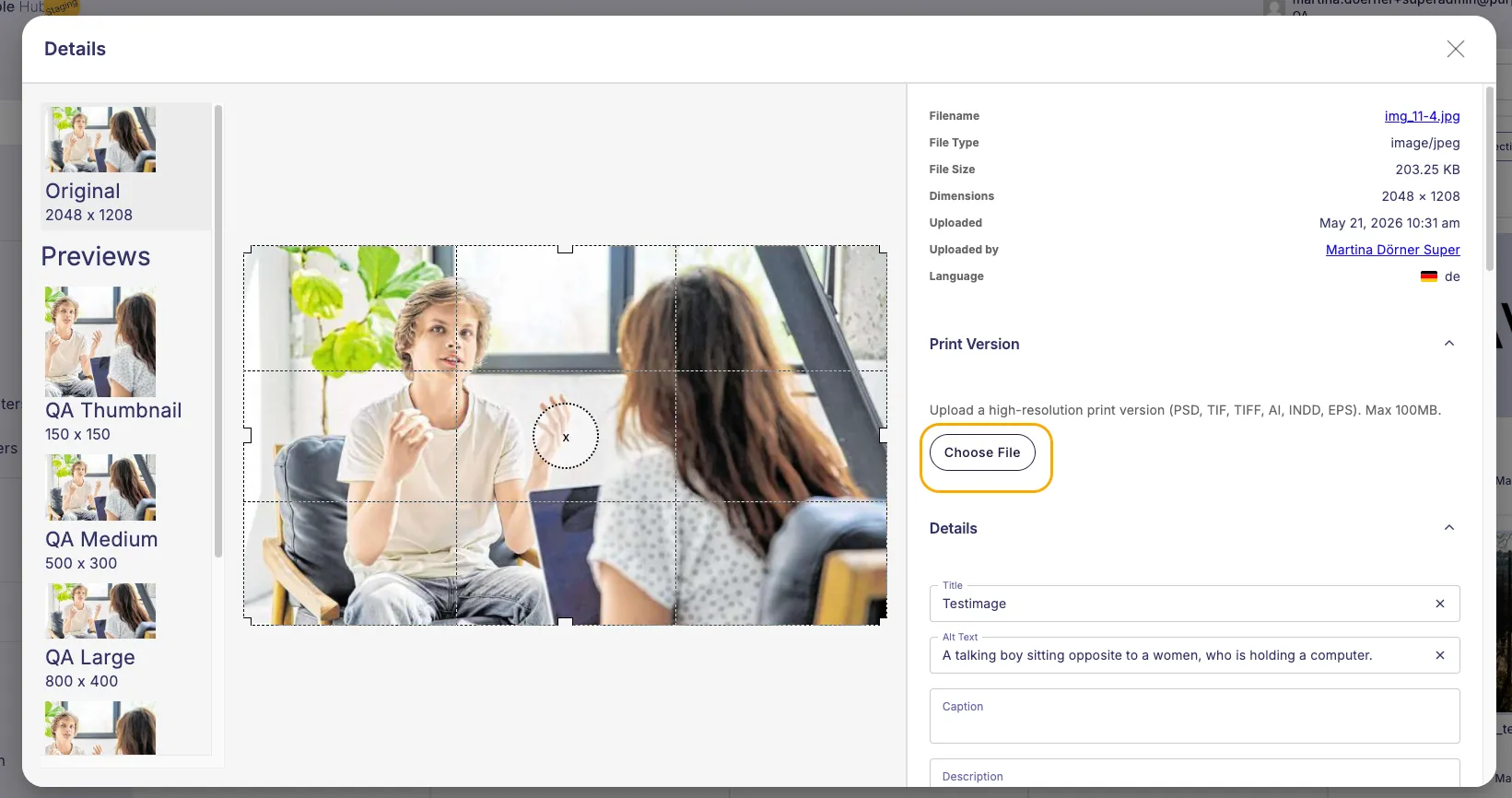
- In the attachment details screen, locate the Print Version section
- Click Choose File
- Select your print file (PSD, TIFF, AI, EPS, INDD, or an image file such as JPEG, PNG, GIF or WebP) and upload it.
- The print file is now attached to the image
Images with print variants display a special indicator icon in the media library.

Upload a Print File Directly
When you upload a print file directly to the media library:
For PSD and TIFF files:
- The system automatically converts the file to a web-version
- Conversion uses WebP or JPEG at 85% quality, maximum 1920px on the longest side — or less, if the Hub's resolution limit is set below 1920px
- The converted image becomes the web image, with the original print file attached as its print variant
For JPEG, PNG, GIF and WebP files larger than the resolution limit (default 2560px):
- The image is downscaled to the limit as before, and that downscaled version becomes the web image used online
- The untouched original upload is kept and attached to it as its print variant, instead of being discarded
- No conversion happens — the print version is the exact file you uploaded, in full resolution
Images at or below the resolution limit are unaffected and get no print variant. Images that were uploaded before this feature became available keep their previous state; only new uploads keep their original.
Filtering by Print Image Status
Use the print image filter to find specific types of images:
- With Print image - Show only images that have print variants attached
- Without print image - Show only images without print variants
REST API Integration
The Print Images feature extends the WordPress REST API to support the PPI InDesign Plugin workflow.
API Response Format
When querying media items via /wp-json/wp/v2/media/{id}, images with print variants include a print_image object:
Image with print variant:
{
  "print_image": {
    "exists": true,
    "id": 46,
    "url": "http://example.com/wp-content/uploads/2025/10/file.psd",
    "mime_type": "image/vnd.adobe.photoshop",
    "filename": "file.psd",
    "filesize": 1926287
  }
}
Image without print variant:
{
  "print_image": {
    "exists": false
  }
}
This REST API extension enables the InDesign Plugin to discover and place print files with the correct MIME types, ensuring compatibility with Adobe's asset placement workflow.