AI Models and API Keys
Summary
Purple Prompts talks directly to a language-model vendor, and you decide which one: OpenAI, Anthropic (Claude), or both. Everything is configured once per Hub in 'Purple Prompts' ❭ 'Settings'. Only administrators can open this settings page.
You do not have to choose a model to get started. Every model setting defaults to Automatic, which means the model Purple currently recommends for that job and keeps up to date for you.
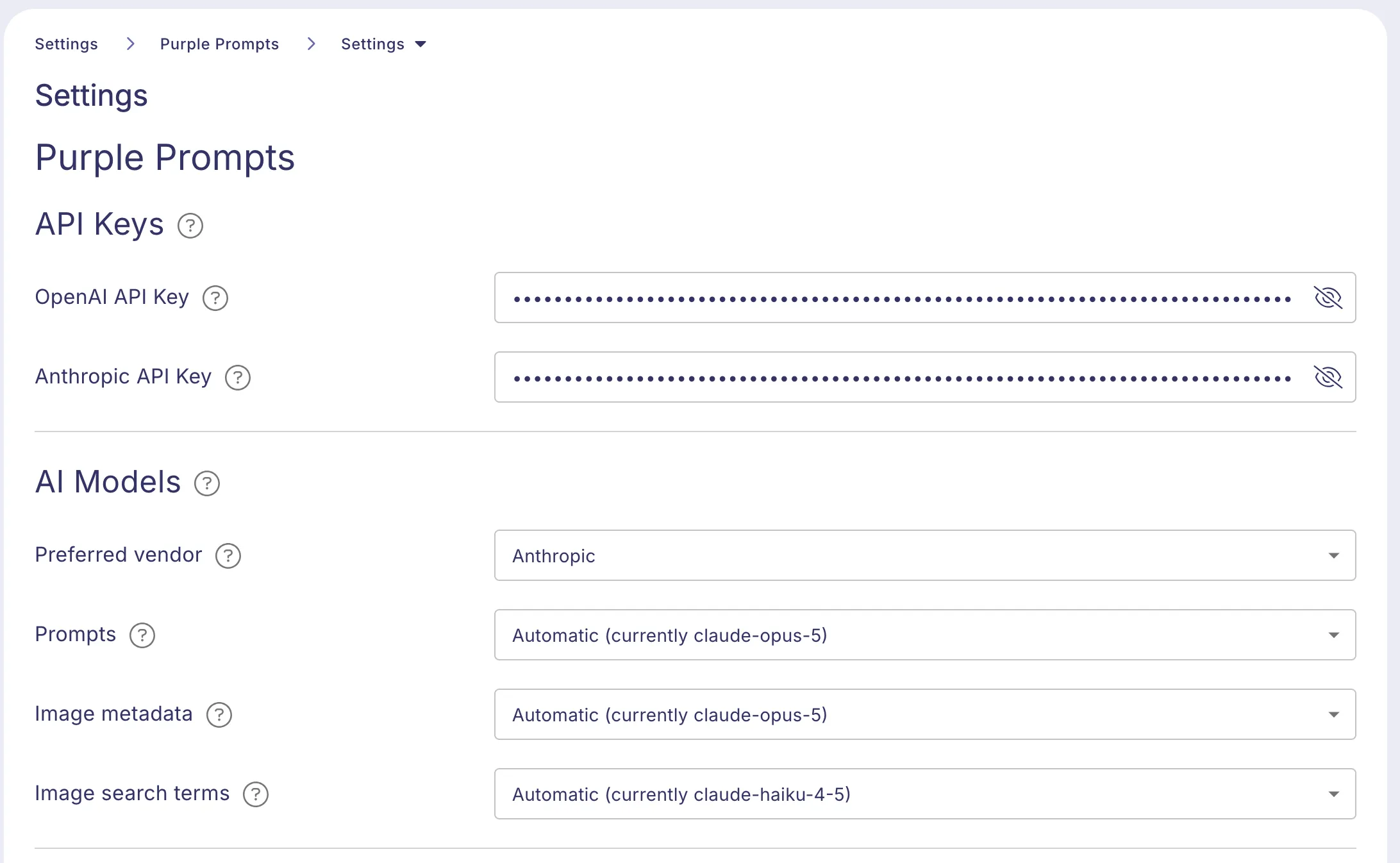
API keys
The API Keys section has one field per vendor. One key is enough — enter a key only for the vendor whose models this Hub should actually use. The help text next to each field links to the page where that vendor issues keys.
The key is stored per Hub and is only ever visible to administrators. Changes are saved automatically; there is no save button.
AI models
The AI Models section has one picker per job Purple Prompts uses a model for:
- Prompts — every prompt run from the article editor, including the Finalize Article sequence.
- Image metadata — the metadata suggestions generated from an uploaded image in Purple DAM. Needs a model that can read images.
- Image search terms — the image-search suggestions for the article being written. A short, simple task, so a small model is enough.
Each picker lists the models the keys you entered can actually reach, newest first and grouped by vendor. The list is fetched from the vendor directly, so a model the vendor releases tomorrow appears without a Purple update.
Leave a picker on Automatic unless you have a reason not to: Purple keeps the automatic choice on a current, tested model, while a model you fix stays exactly as you set it. The picker names the model Automatic currently resolves to, so you can always see what is running.
Preferred vendor
The Preferred vendor row only becomes available once both API keys are set. It decides which vendor the jobs still set to Automatic follow; a job you pinned to a specific model ignores it.
It defaults to OpenAI, so a Hub that ran on OpenAI before keeps exactly the models it had.
The reason this setting exists: AI image generation and editing in Purple DAM has no Anthropic counterpart and always needs the OpenAI key. Without a preference, a Hub that wants Claude for its prompts and image generation would be pulled back to OpenAI everywhere by the key it has to hold anyway.
Related settings on this page
The same settings page also holds Use HTML Mode and the Hub-wide ground rules, see Hub-wide Ground Rules.