Enable the Dossiers feature in Purple Hub
6 min
Purple Hub
Summary
This article will walk you through the steps required to enable the Dossiers feature in Purple Hub.
You can learn more about Purple Dossiers in this articles:
Dossiers
Preconditions
- Have Set up 'Background publishing' in Purple Hub
- Have an Admin role in Purple Hub for enabling the Dossiers feature. Learn more: Purple Hub: Overview of roles & rights
How to
- Log in to your Purple Hub with an Admin role
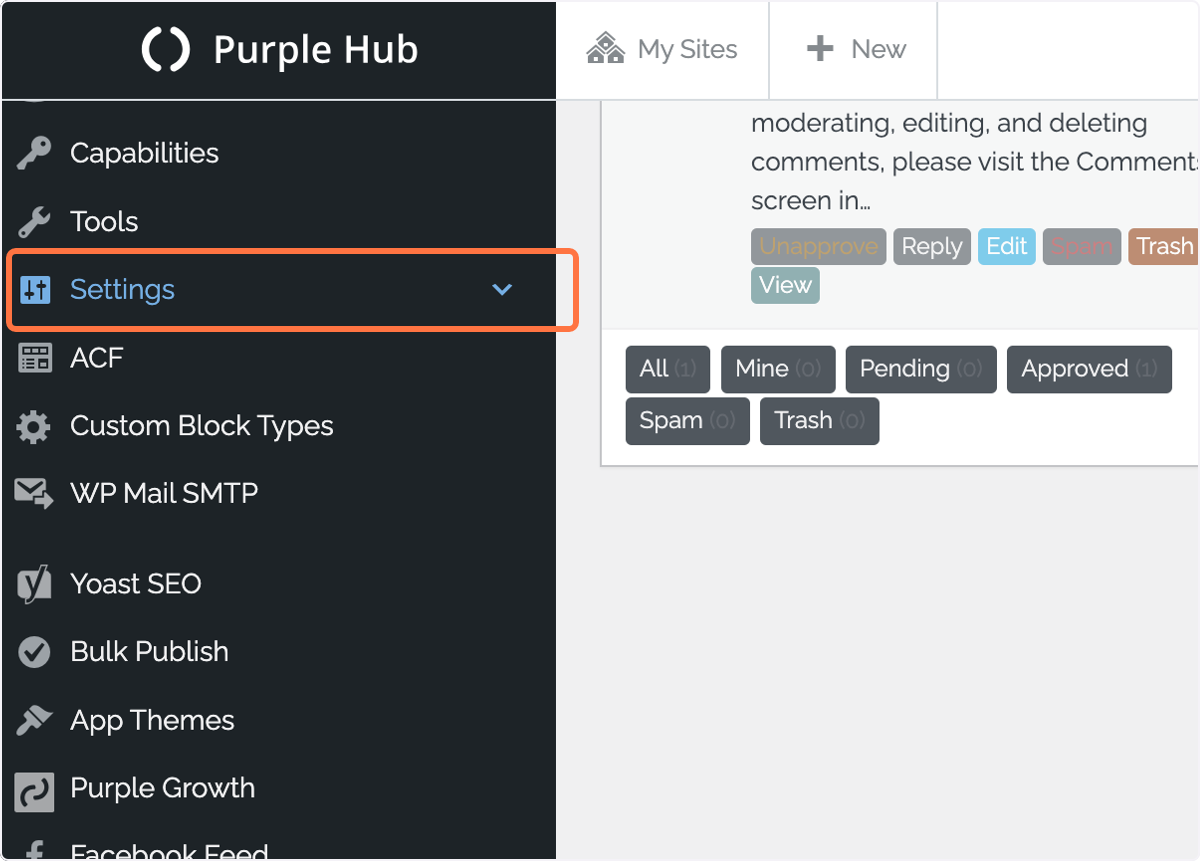
- In the main menu, click on 'Settings'
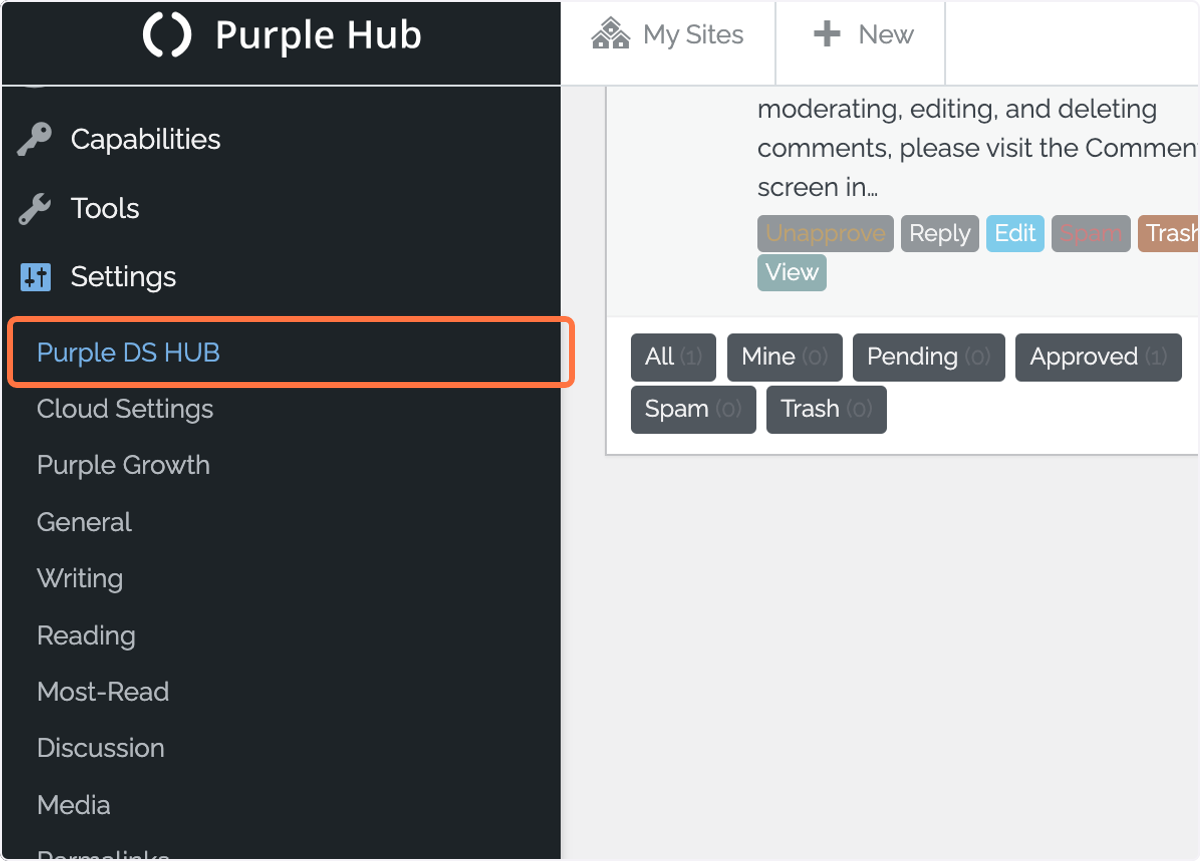
3. Click on 'Purple DS HUB'
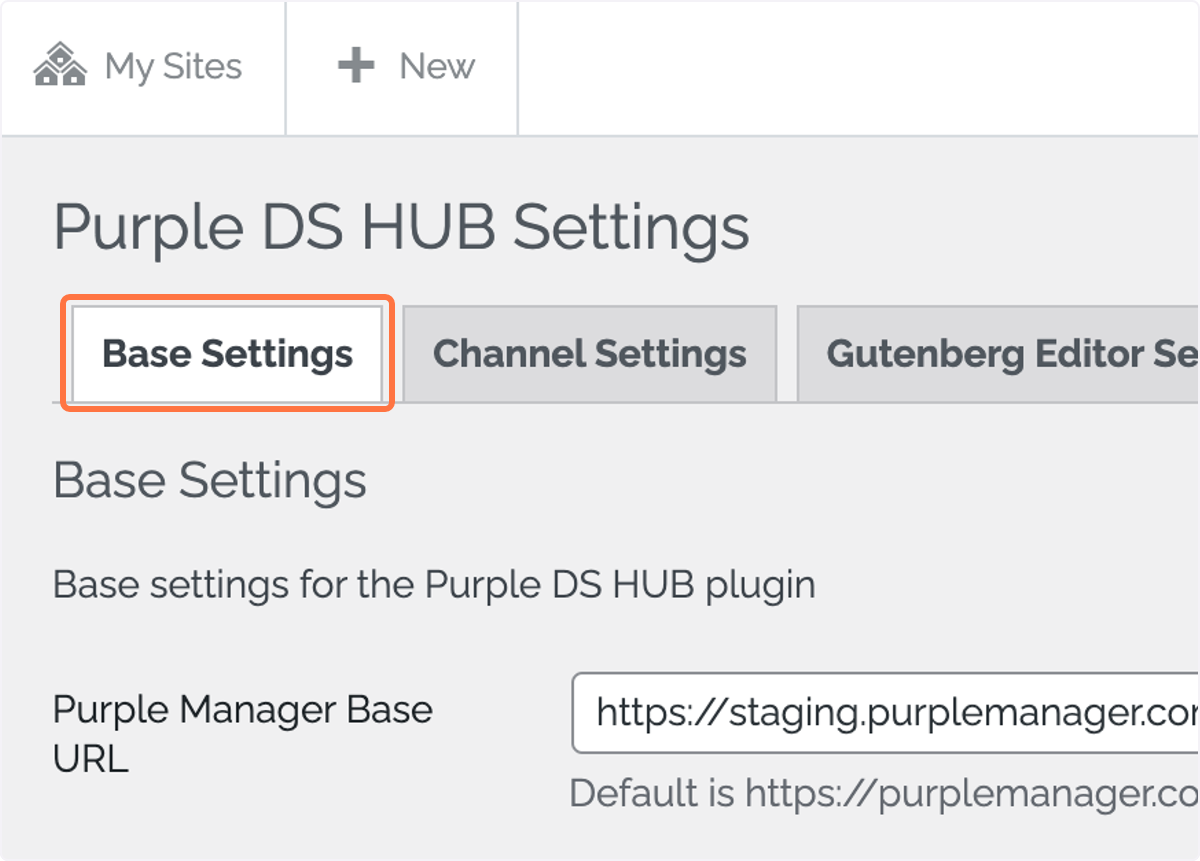
4. Click on 'Base Settings'
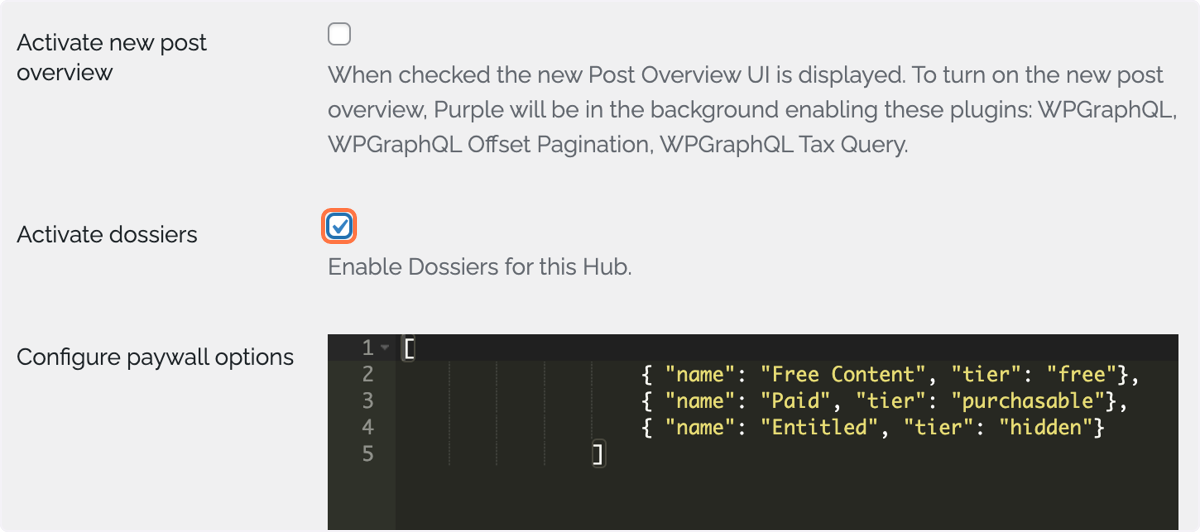
5. Scroll down to 'Activate dossiers' and check the check box
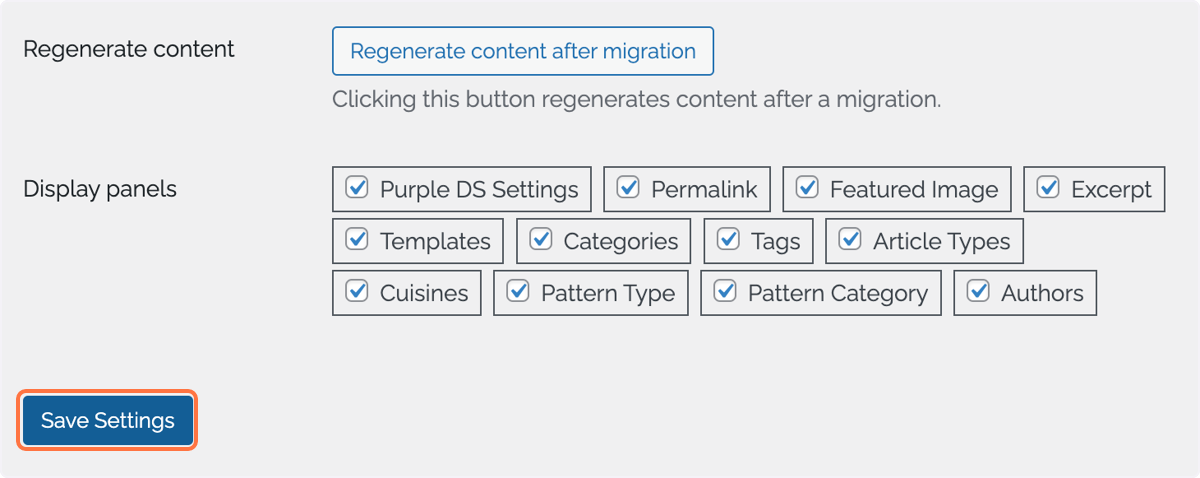
6. On the bottom of the page click on 'Save Settings'
7. You can now find the menu entry 'Purple Dossiers' in the main menu on the left
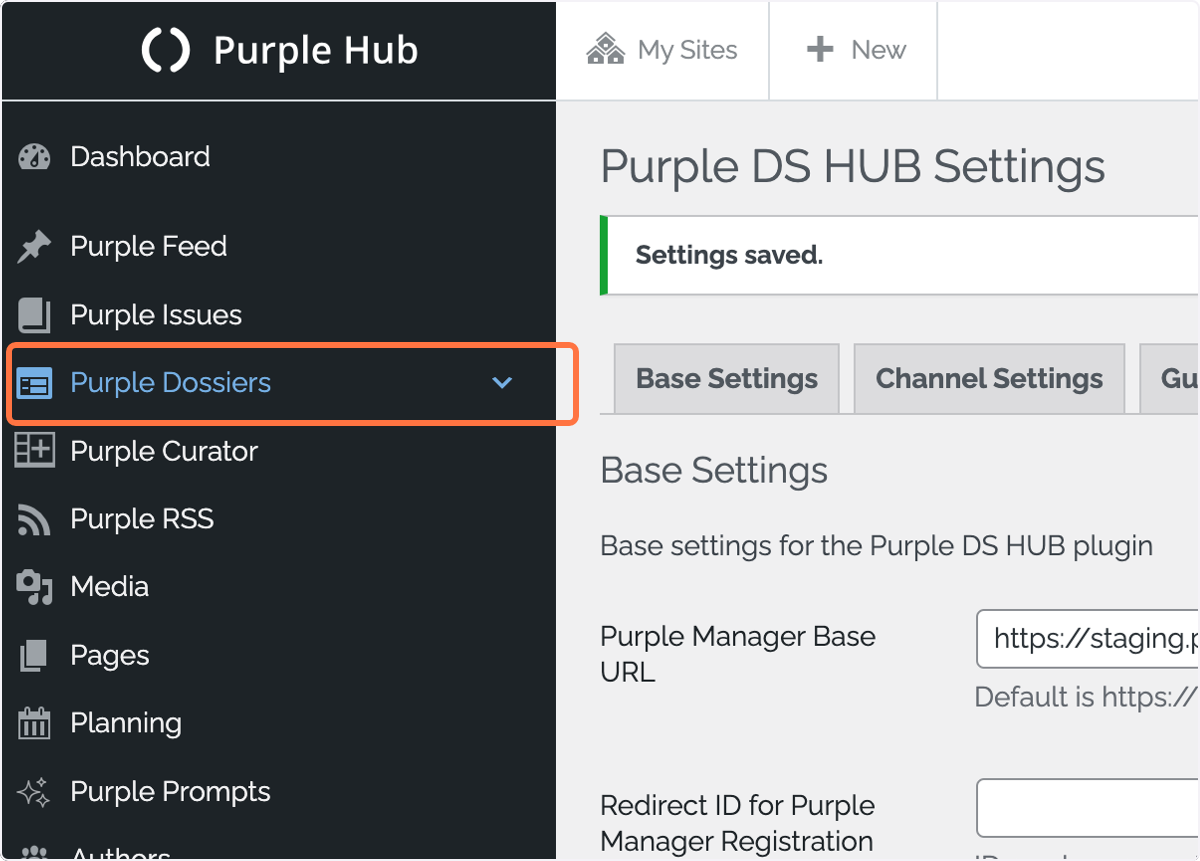
You have now successfully activated the Purple Dossiers features and you and your team can start creating Dossiers.