Kordiam
Overview
This documentation guides administrators through setting up the Kordiam (formerly Desk-Net) plugin for the Purple Hub. The plugin enables synchronization between Kordiam editorial planning system and WordPress-based Purple Hub installations.
Table of Contents
- Best Practice
- Initial Setup
- Channel Mapping
- Status Sync Settings
- Post Type Status Mapping
- Channel Field Mapping
- Legacy Settings
- Additional Settings
Best Practice
There are various ways to set up Purple with Kordiam, and we will keep supporting existing setups until informed otherwise. However, in order to set up the Kordiam connection with Purple in the most optimal way, we advise the following best practice.
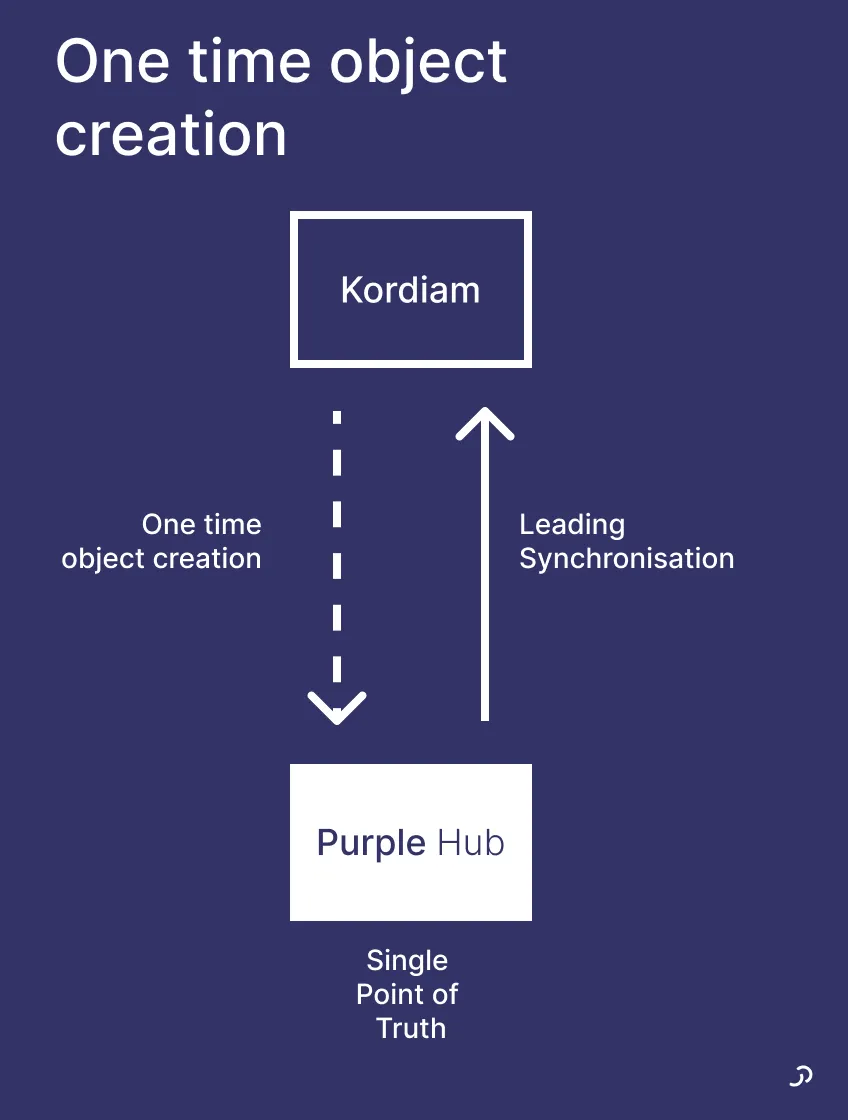
Treat Kordiam as your planning tool for allocating resources and Purple Hub as your creating and publishing tool. Published content is what will reach reading customers, therefore, the Hub should be the leading source for all your content, the single point of truth.
This will mean that after an article has been created in Kordiam, there will be a one-time object creation from Kordiam to Purple Hub. After that, there will be no further syncing from Kordiam to Purple Hub, only from Purple Hub to Kordiam.
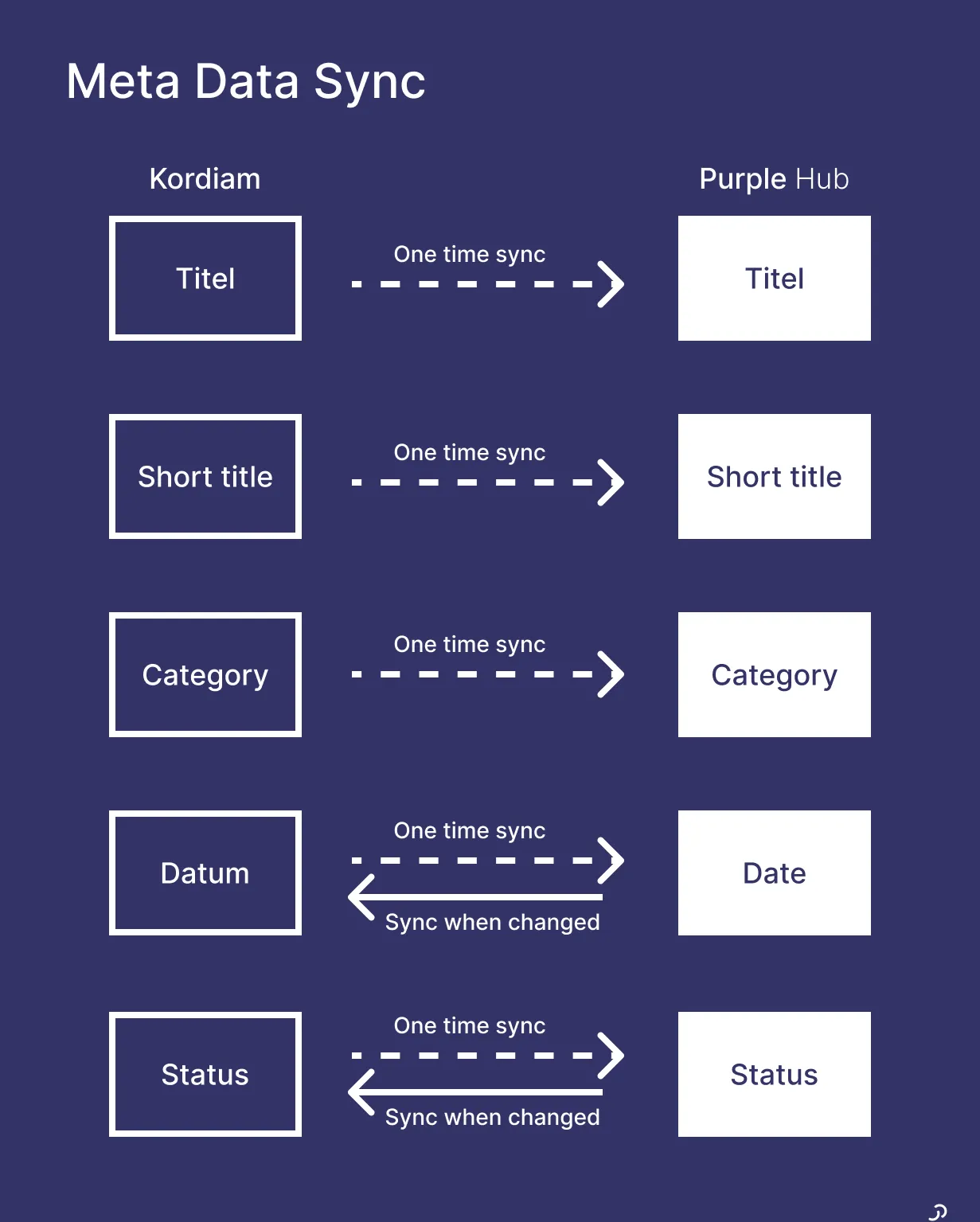
Not all metadata will sync between Kordiam and Purple Hub. See the diagram below to understand what will sync and when.
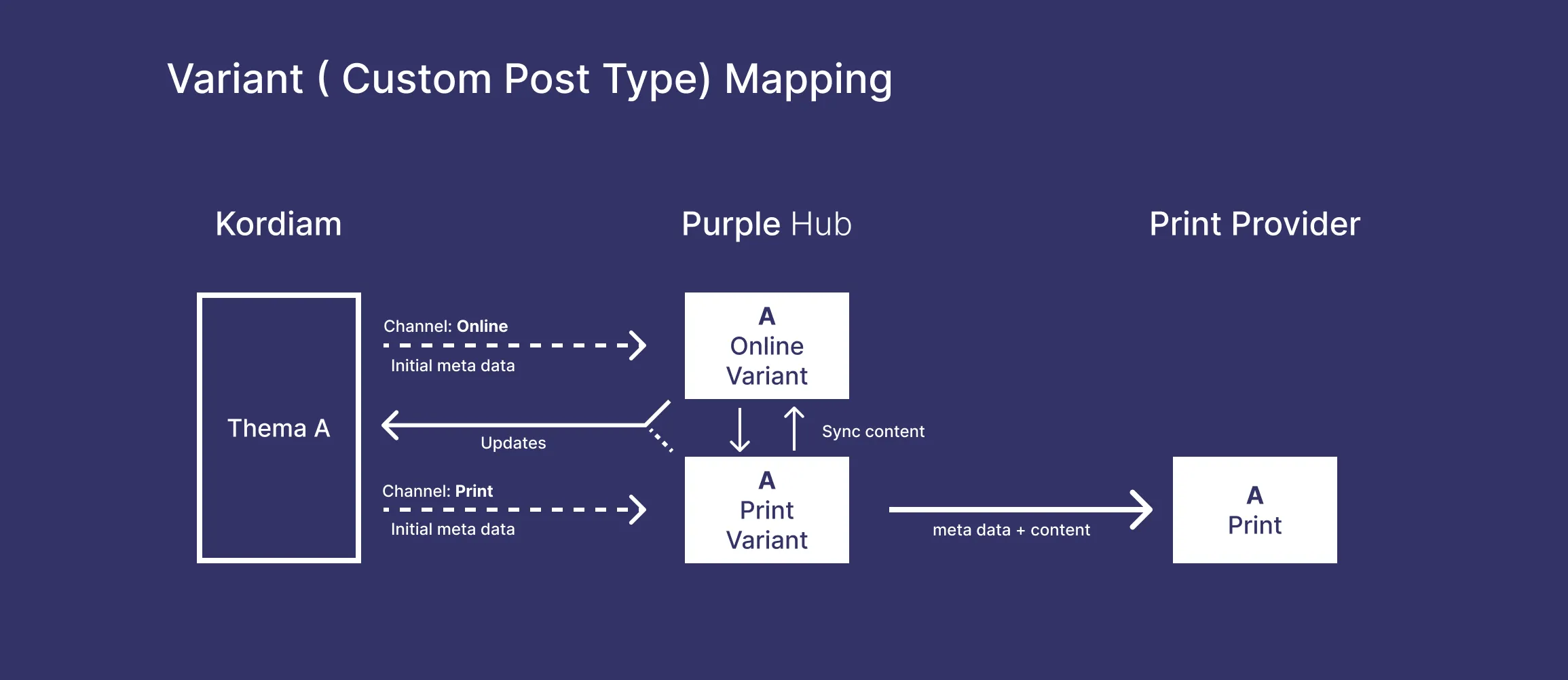
With the different possibilities in Purple to map channels to variants (also known as custom post types) and statuses, it is also possible to create more complex mappings, including having print variants of an article.