Related Articles
Summary
The Related Articles feature lets editors attach a curated list of related articles to any post.
Articles can be found using a classic keyword search, or discovered automatically using the Similar function, which analyses the post's title and content to surface thematically related content from the same hub.
Prerequisites
The basic Related Articles panel (with keyword search) is available on all hubs out of the box. The Similar function requires additional setup:
- The ElasticPress plugin must be active on the hub.
- ElasticPress must have completed at least one content sync.
- The Related Posts feature must be enabled in ElasticPress: navigate to ElasticPress → Features → Core Search → Related Posts and enable it.
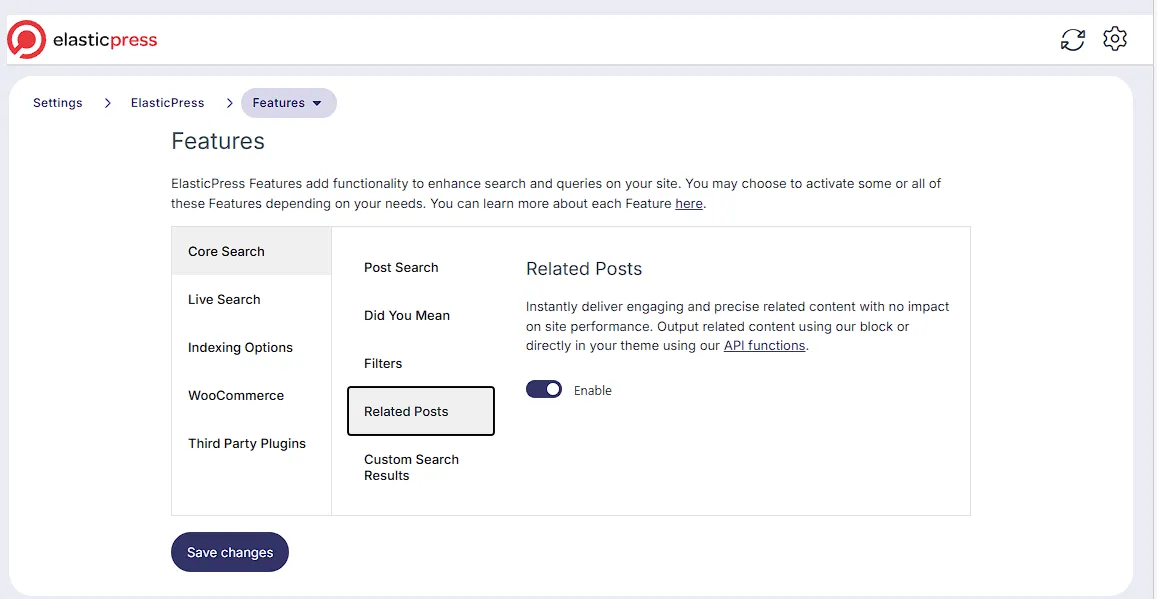
A hub administrator can configure this feature via Hub Settings:
- Hide Related Articles — disables the panel entirely for all editors.
- Related Articles Post Types — restricts which post types show the Related Articles panel. By default, only the standard post type is included.
If the panel is not visible on a particular post type, contact your administrator.
Usage
Open any article for editing. The Related Articles panel appears below the editor.
The panel is split into two columns: the left side shows candidate articles you can pick from, and the right side shows your current selection.
Below the panel, two buttons let you switch between the two ways of finding articles: Search and Similar.
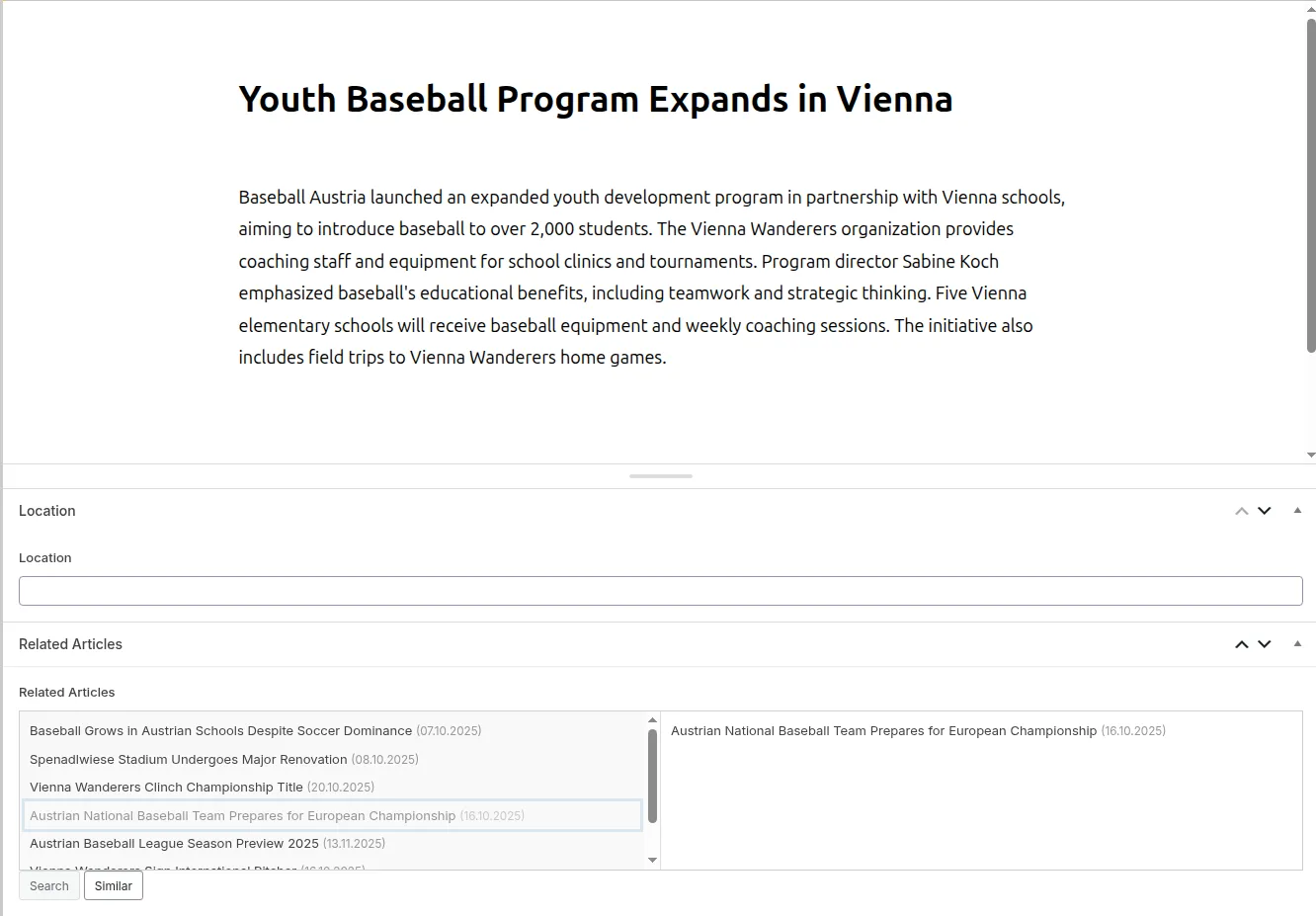
Searching for articles manually
Search is the default mode. A search field is displayed above the left-hand candidates list.
Type a keyword to filter the list. Results update as you type and show published articles. Each result displays the article title and its publication date, so you can distinguish between articles with similar titles.
Click any article in the left-hand list to add it to your selection on the right.
Finding similar articles automatically
If ElasticPress is configured (see PrerequisitesPrerequisites), a Similar button appears next to the Search button.
Click Similar to let Purple Hub suggest related articles automatically. The search field is hidden and the candidates list is replaced with suggestions based on the current post's content. Similarity is determined by the post title and the post's content. Up to 20 suggestions are returned.
Fallback behaviour: If ElasticPress cannot produce results for a given post — for example because the content is very short or no closely related articles exist — the Similar function falls back first to articles that share the same tags or categories, and then to the most recently published articles. You may therefore occasionally see less precise suggestions; this is expected.
You can switch back to Search mode at any time by clicking the Search button. Any articles you have already added to your selection remain there regardless of which mode you switch to.
Managing your selection
- Add an article by clicking it in the left-hand candidates list.
- Remove an article by hovering over it in the right-hand selection list and clicking the remove button that appears on the right edge.
- Reorder articles by clicking and holding an entry, then dragging it to the desired position.
Saving
Once you are happy with your selection, save or publish the post as usual. The related articles list is saved with the post and will persist after a page refresh.
Technical note: Related articles are stored as an ACF relationship field (purple_related_articles) on the post. The list of related article IDs is accessible to developers via get_field('purple_related_articles', $post_id) or through the standard ACF API.
Limitations
- The Similar function is only available when ElasticPress is active and the Related Posts feature is enabled (see PrerequisitesPrerequisites).
- If Polylang or Polylang Pro is active on the hub, the Similar function only suggests articles in the same language as the current post.