Users overview
4 min
Summary
The Users page lists the users of your teams with their access and their last sign-in. Open it at controlcenter.purplepublish.com/users or through the Accounts card on the Control Center start page.
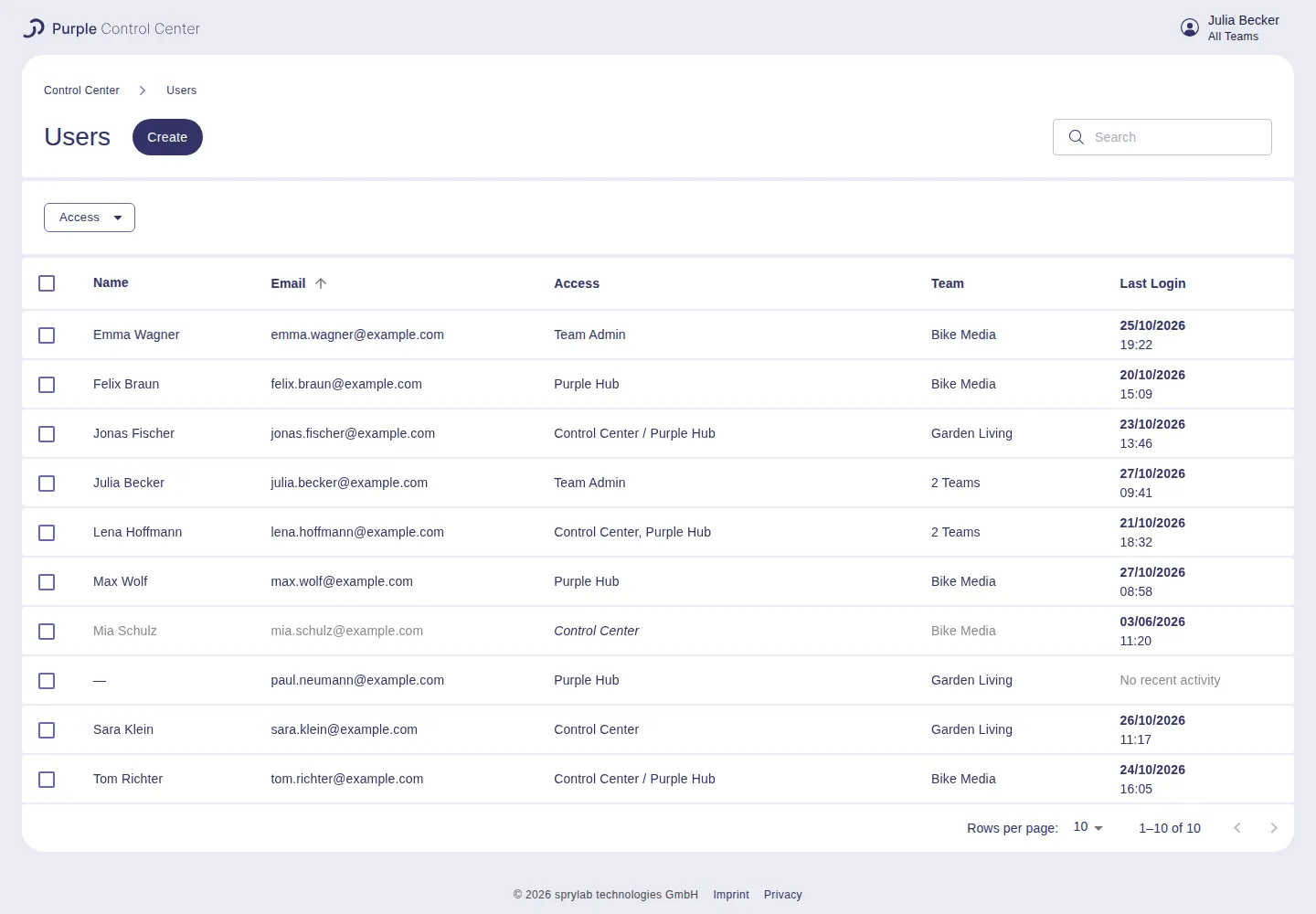
Users of all teams, sorted by email address
Choose a team
The list follows the team selected in the Control Center. To switch, click your name in the top-right corner and pick a team under Team, or pick All Teams to see the users of all your teams at once.
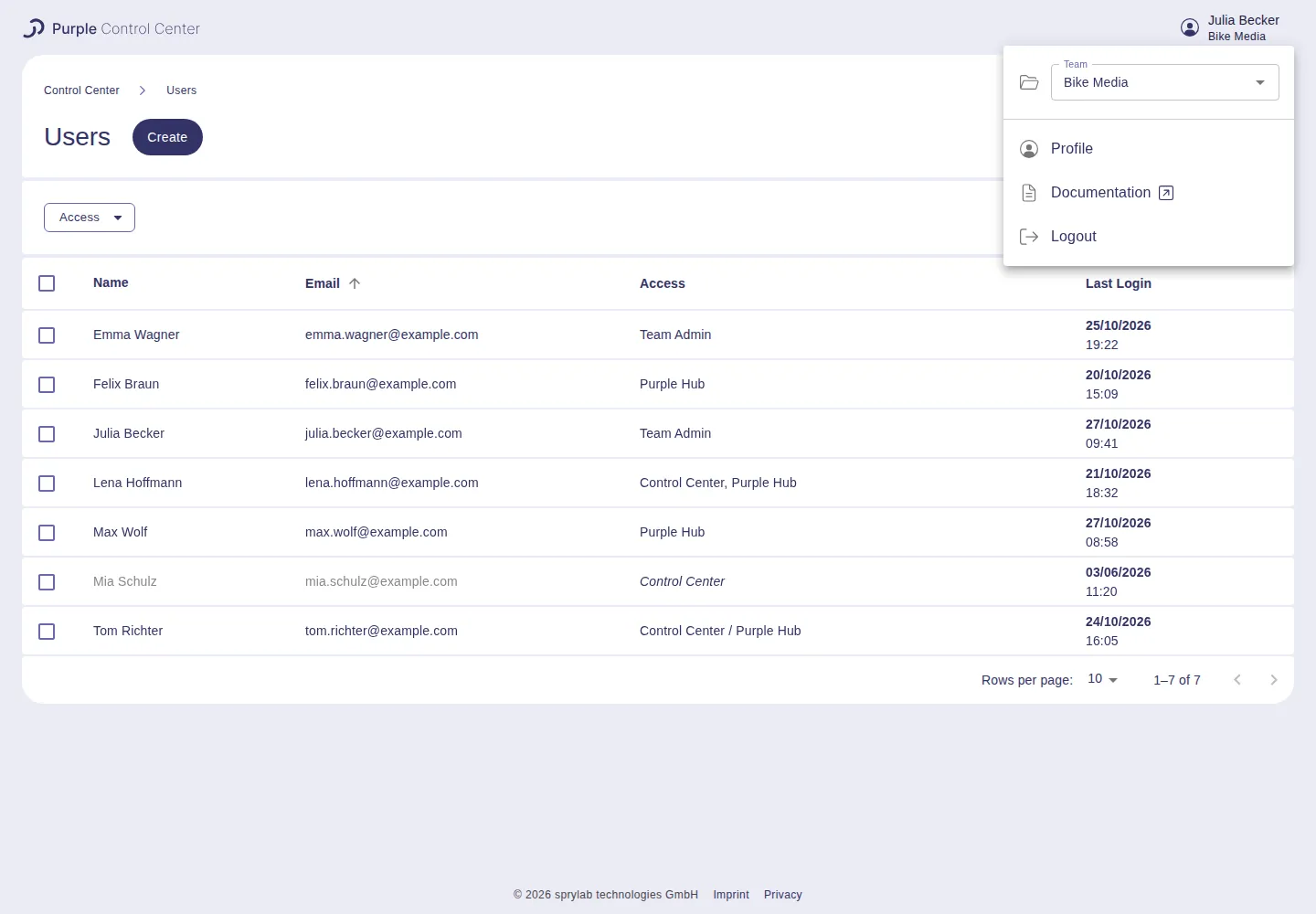
With one team selected, the Team column is hidden
Columns
- Name: first and last name. New users enter their name when they sign in for the first time; until then the list shows —.
- Email: the email address the user signs in with.
- Access: what the user may do, see User ManagementUser Management. The list shows Team Admin, Control Center / Purple Hub (App Admin), Control Center (Editor) or Purple Hub (Hub Editor). A user with different roles in different teams shows all of them, for example Control Center, Purple Hub. Member is an older role that can no longer be assigned.
- Team: only shown with All Teams selected. For users in several teams it reads, for example, 2 Teams; hover over it to see each team with the user's role there.
- Last Login: date and time of the last sign-in. No recent activity means the user has not signed in recently, for example because they were just created.

Hover over 2 Teams to see the role in each team
Deactivated users are shown in grey.
Find users
- Search: type part of a name or email address into the search field at the top right.
- Filter by access: click Access, choose an option such as Team Admin or Deactivated, and click Apply. Reset removes the filter.
- Sort: click the column header Name, Email or Last Login. Click again to reverse the order.
- Rows per page: choose 10, 20 or 50 at the bottom of the list.
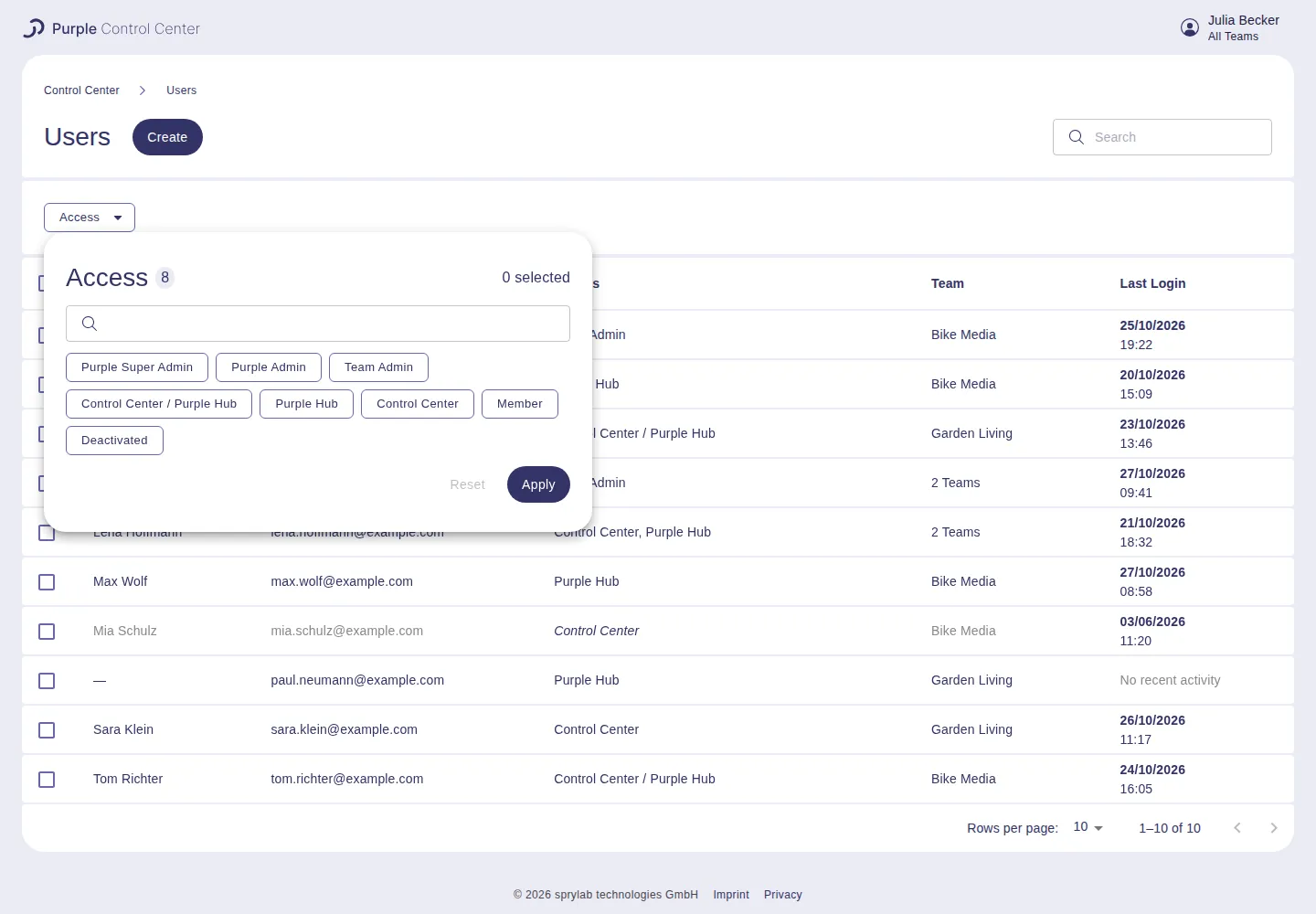
Filter the list by access
Create a user
Team Admins see a Create button next to the page title. See Create a new userCreate a new user.
Editing, deactivating or deleting existing users is not yet possible on the Users page.