Advanced Custom Fields (ACF) for Purple DAM
Advanced Custom Fields for the Purple DAM
You can add Advanced Custom Fields (ACFs) to media files in the Purple DAM to store structured metadata on any attachment type.
Supported field types are:
- Select (Dropdown)
- Text
- Text Area
- Checkbox
- Radio Button
- Button Group
- True / False
- Date Picker
- Date Time Picker
Unsupported types are shown as plain text with a warning indicator.
Step 1: Create an ACF field group
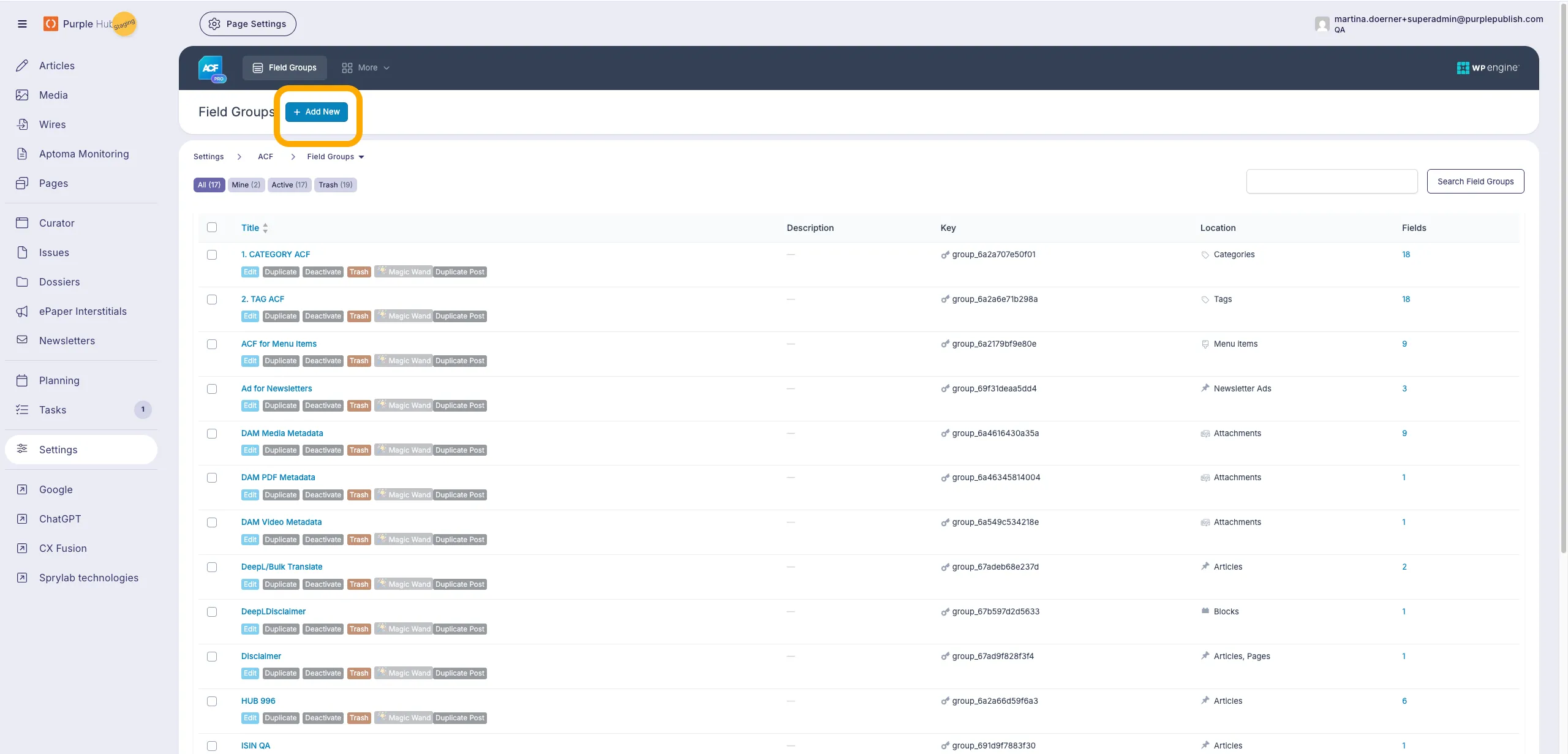
Click "Add new" at the top of the ACF field settings and give the new group a name (e.g. "Additional Fields for Media")
Step 3: Location Rules
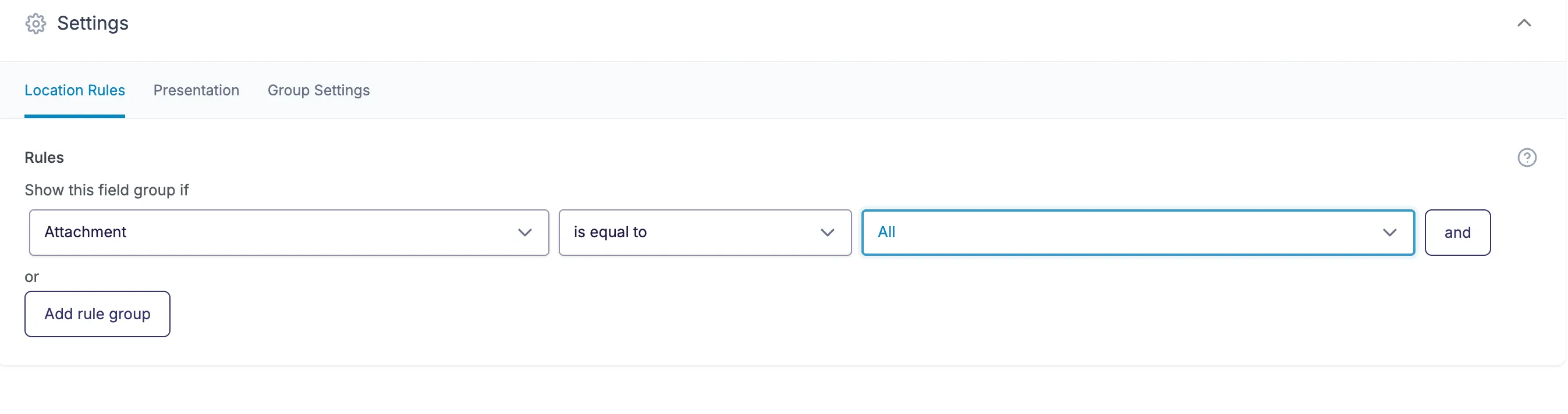
Each ACF group needs to be displayed, either for specific media types, or for all. In the case of all media make sure to set the rule for the group to: Attachements > Is Equal to > All.
Step 3: Creating an ACF for Media Files
For creation of ACF fields read Create Custom Fields in Purple Hubfe
Step 4: Using ACFs as Filters
ACFs can be used to filter files in the Purple DAM. This can be achieved by checking the option 'Filterable'.
See also Configure ACFs as filterlink
Required fields
An ACF field can be marked as required using ACF's own "Required" toggle in the field settings. When a field is required, editors must fill it in at the point of uploading a file to the DAM before they can save.
Where this is enforced:
- Upload modal — files with empty required fields show a "Missing required fields" indicator in the file list, the footer shows how many files are still incomplete, and the Save button stays disabled until every required field (across all uploaded files) is filled in.
- File detail popup — if a required field is emptied after the fact, the Close (X) button is disabled and the header shows how many required fields are still empty.
Required fields are marked with a red asterisk next to the field label, and a "This field is required" message appears below a field once the user leaves it empty.
Mime-type awareness
A required field is only enforced for the file types its ACF group actually applies to (via the group's location rules). For example, an ACF group that only applies to videos will require its fields when uploading a video, but those fields are neither shown nor required when uploading an image or PDF. Configure the group's location rules to control which file types a required field applies to.
Choosing where to require a field: upload vs. editor
There are two different places a field can be made mandatory, and they solve different problems. Pick based on when the value actually needs to exist:
- Required on upload — enable ACF's "Required" toggle only if the field must be filled in the moment a file is added to the DAM (for example, a mandatory copyright owner that every asset must carry regardless of where it is used). This is the behaviour described above.
- Required on usage / insertion — if a field should instead be mandatory only when a file is actually used or inserted into an article, do not use ACF's "Required" toggle. Configure the field as required for the respective media blocks in the Purple Blocks settings instead, so the value is enforced in the editor at insertion time. See Validating Image Blocks and Meta Information.
Do not enable ACF's "Required" toggle when what you actually want is editor-level validation (or vice versa). Upload-level required blocks the upload itself; editor-level required blocks publishing the article. Enabling the wrong one leads to fields being demanded at the wrong moment in the workflow.
AI Metadata Generation
If AI metadata generation is enabled, ACF fields on media files can be filled by the AI as well. Text, text area, wysiwyg, select, radio, button group, checkbox and taxonomy fields are eligible; the other types are not. Each eligible field gets its own editable prompt, and the field's instructions text is appended to that prompt's default wording — so a short instruction such as "Use the German region name" is a cheap way to steer the suggestion without touching the prompt at all. See Uploading Media.