Google Tag Manager Setup guide
The prerequisite for successful tracking with the Google Tag Manager is that all desired action and view events are configured in the "tracking_config.json". You can find out how to do this in general here.
Based on this configuration, PXP sends the corresponding data to Google Tag Manager using defined names for triggers and variables.
The configuration must be set up accordingly on Google's side. The full PXP support results in the following example structure, which shows the full setup to support action-events and view-events.
Complete structure used by this example
Tags
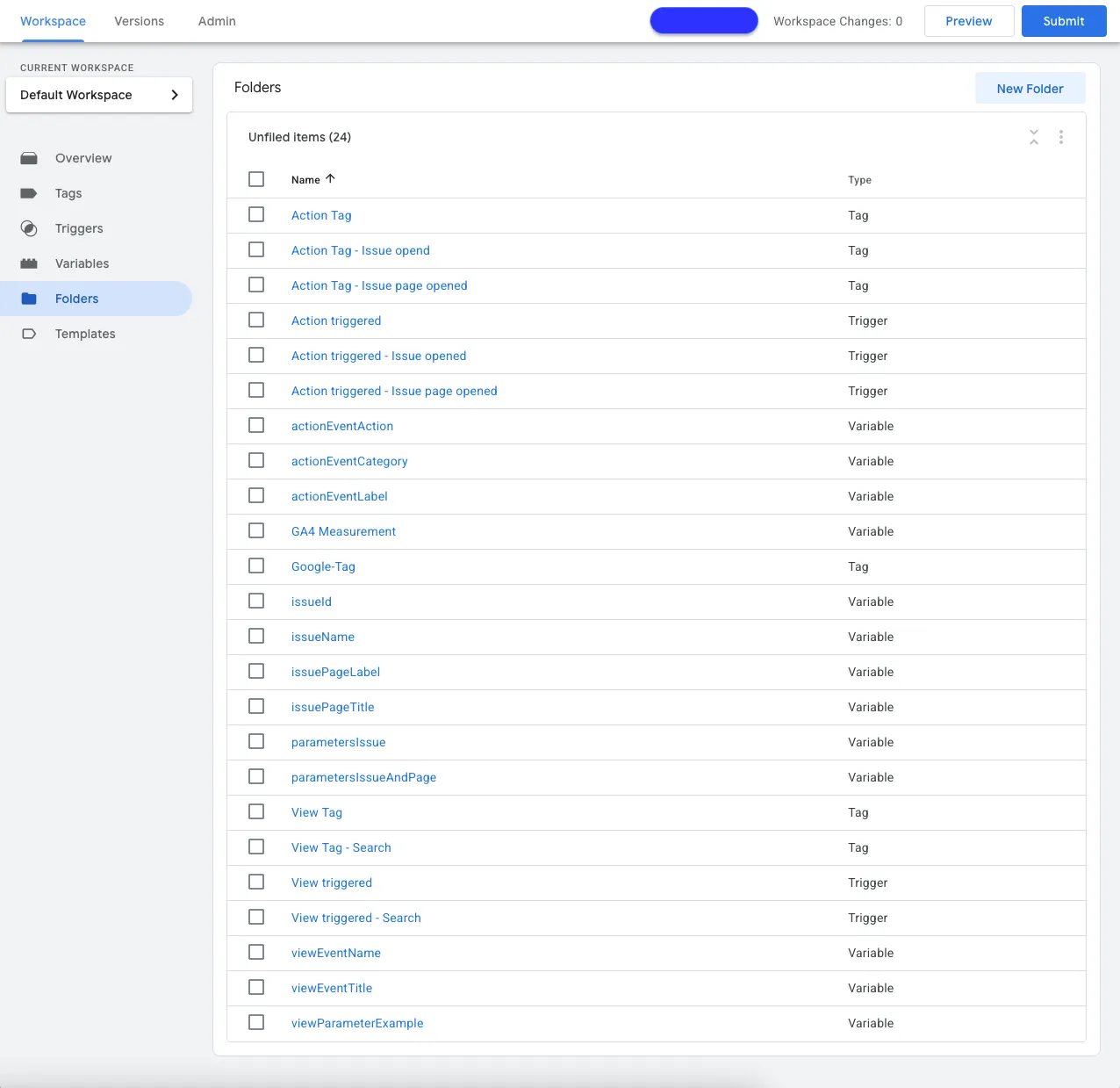
To connect PXP with Google Tag Manager, these tags are required based on this example:
Trigger
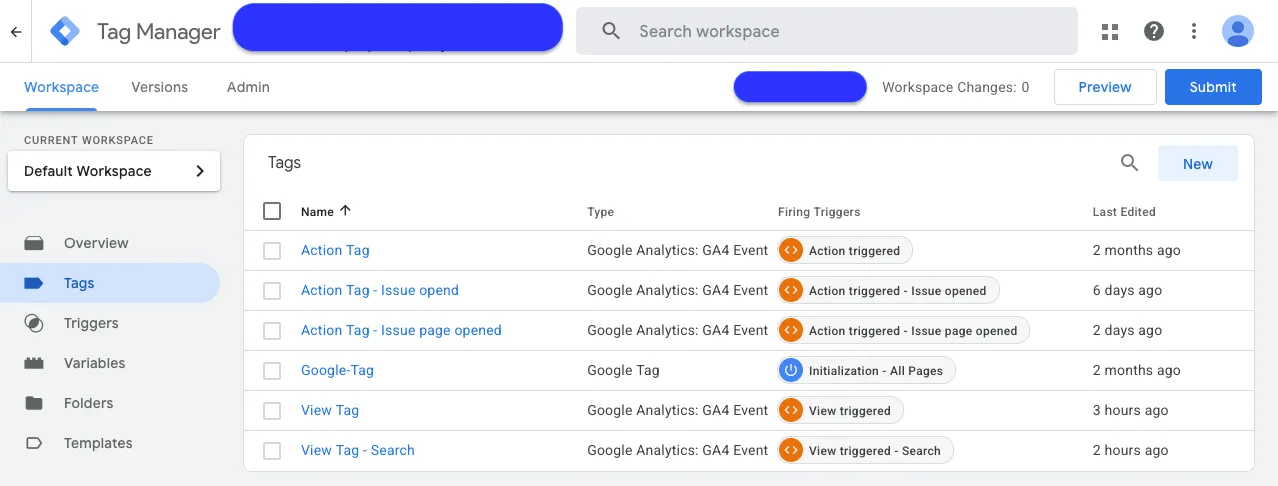
To connect PXP with Google Tag Manager, these triggers are required based on this example:
Variables
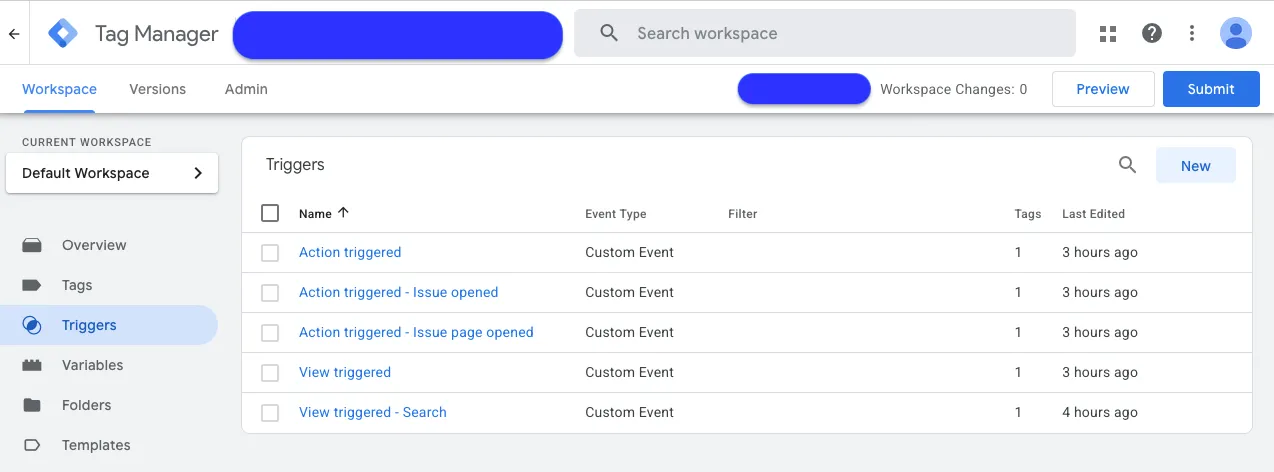
To connect PXP with Google Tag Manager these variables are required based on this example:
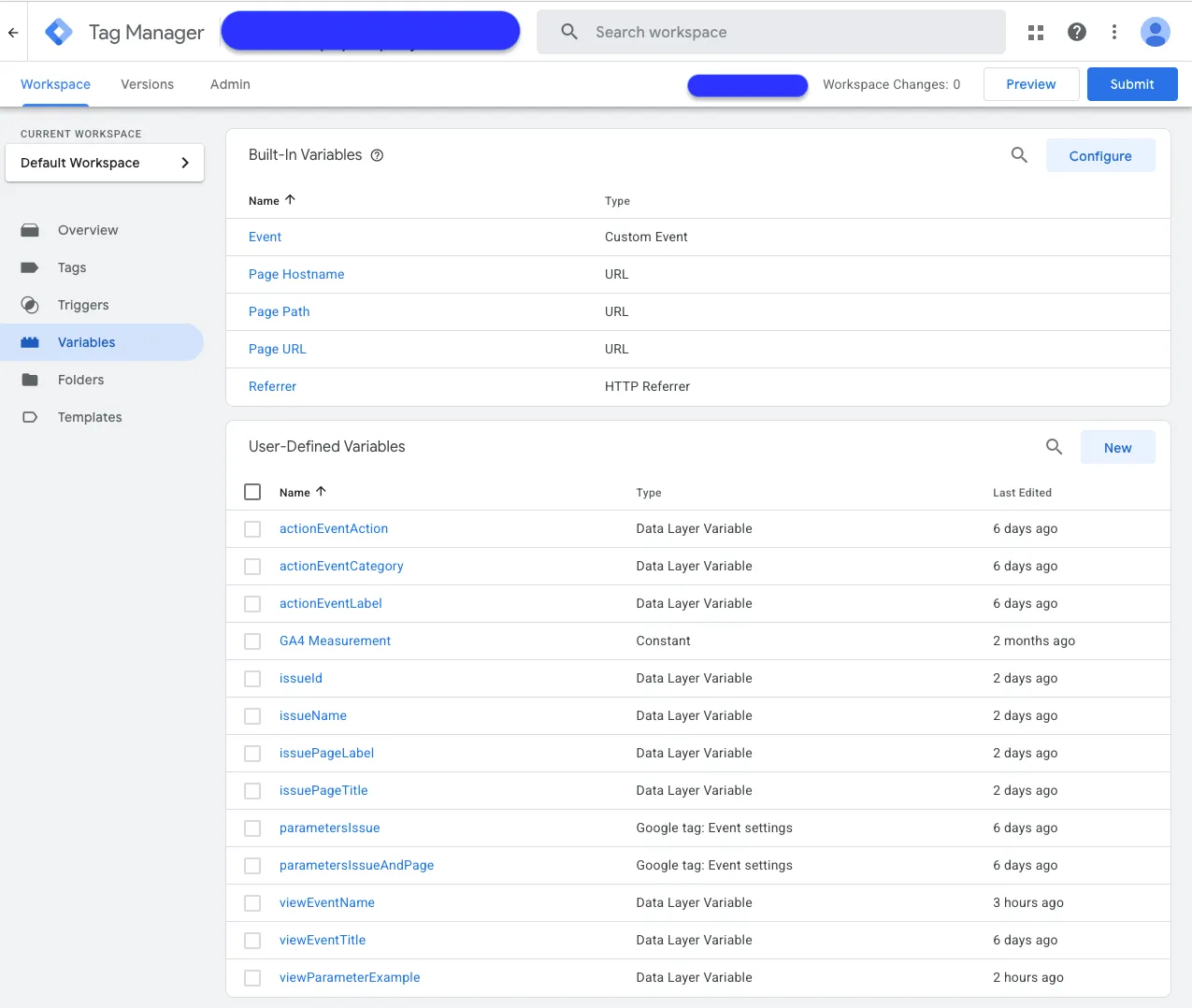
Events and Attributes
Action events
PXP
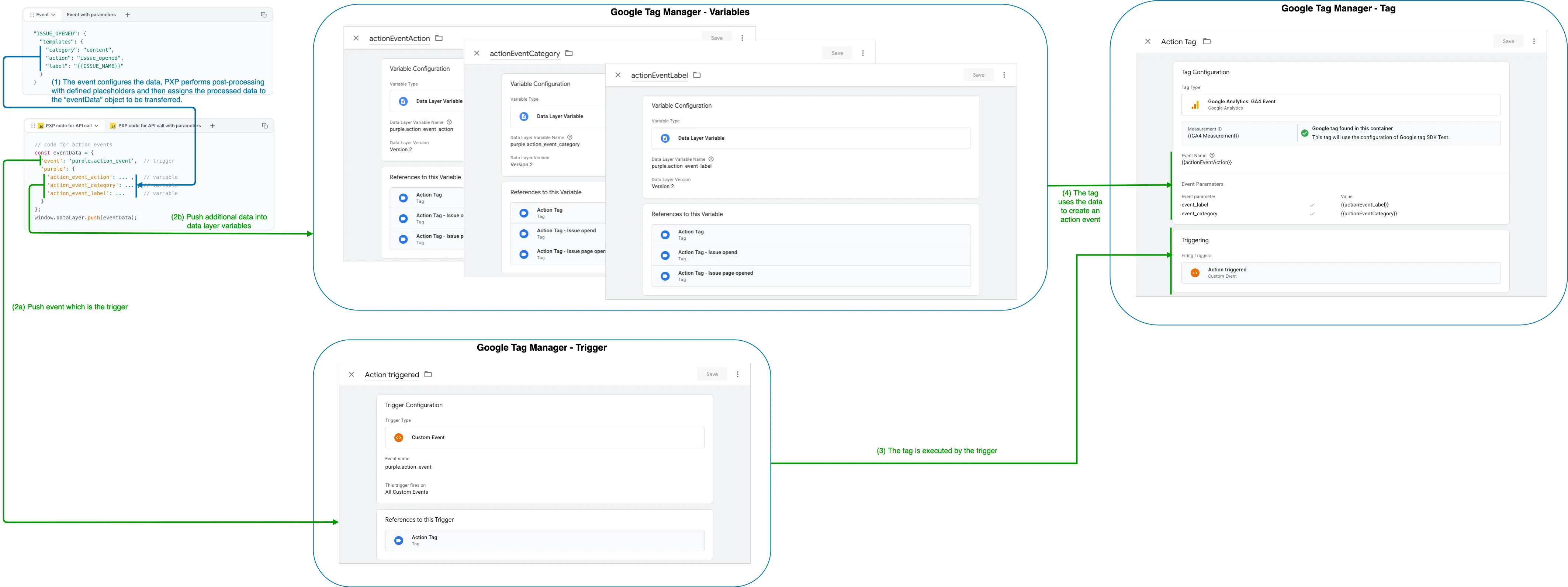
It starts with an action event configuration. The event "ISSUE_OPENED" is used for the following example. Depending on whether parameters are to be used or not, the configuration differs as follows:
"ISSUE_OPENED": {
  "templates": {
    "trigger": "purple.issue_opened",
    "category": "content",
    "action": "issue_opened",
    "label": "{{ISSUE_NAME}}"
  },
  "parameters": {
    "issue_id": "{{ISSUE_ID}}",
    "issue_name": "{{ISSUE_NAME}}"
  }
}
Reduced code from PXP
PXP web client pushes
- an "event" that is configured as "Trigger" and
- data that is configured as "Data Layer Variable"
to Google Tag Manager.
The following source code shows a simplified representation of how PXP calls the Google Tag Manager API:
// code for action events
const eventData = {
  'event': 'purple.action_event',  // trigger
  'purple': {
    'action_event_action': ... ,   // variable
    'action_event_category': ... , // variable
    'action_event_label': ...      // variable
  }
};

window.dataLayer.push(eventData);
Configuration in Google Tag Manager
Create the data layer variables to receive data
The variable names defined by Purple are as follows:
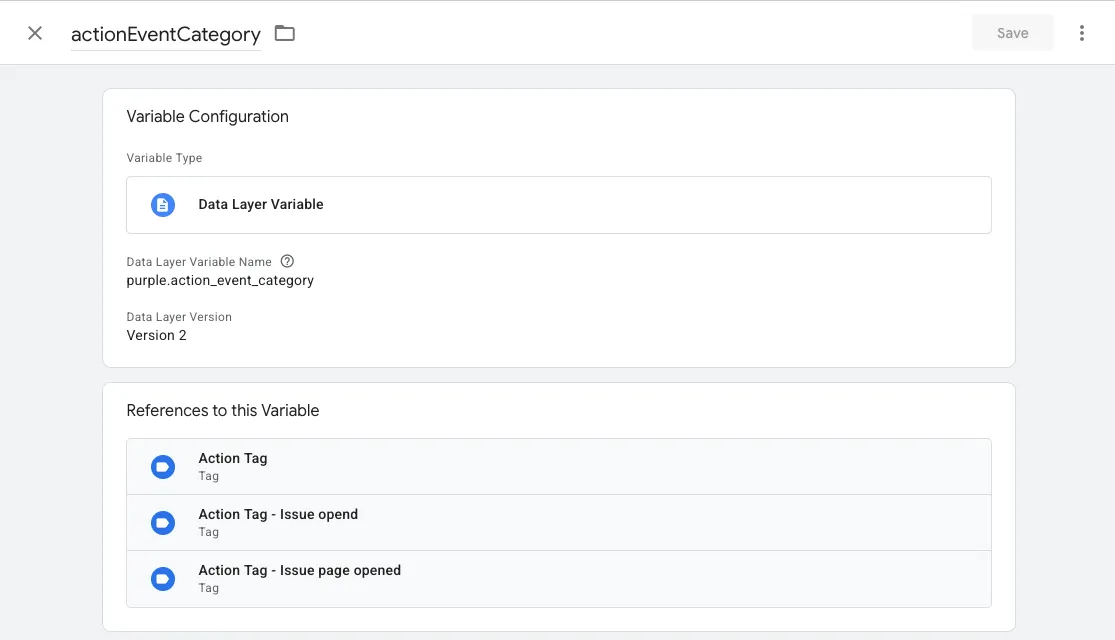
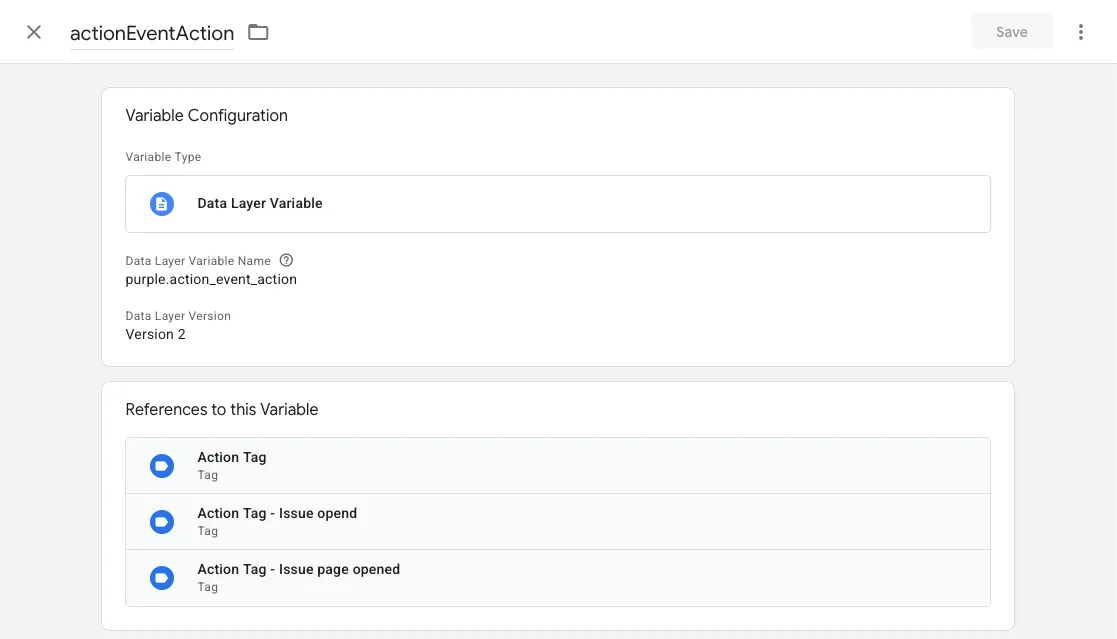
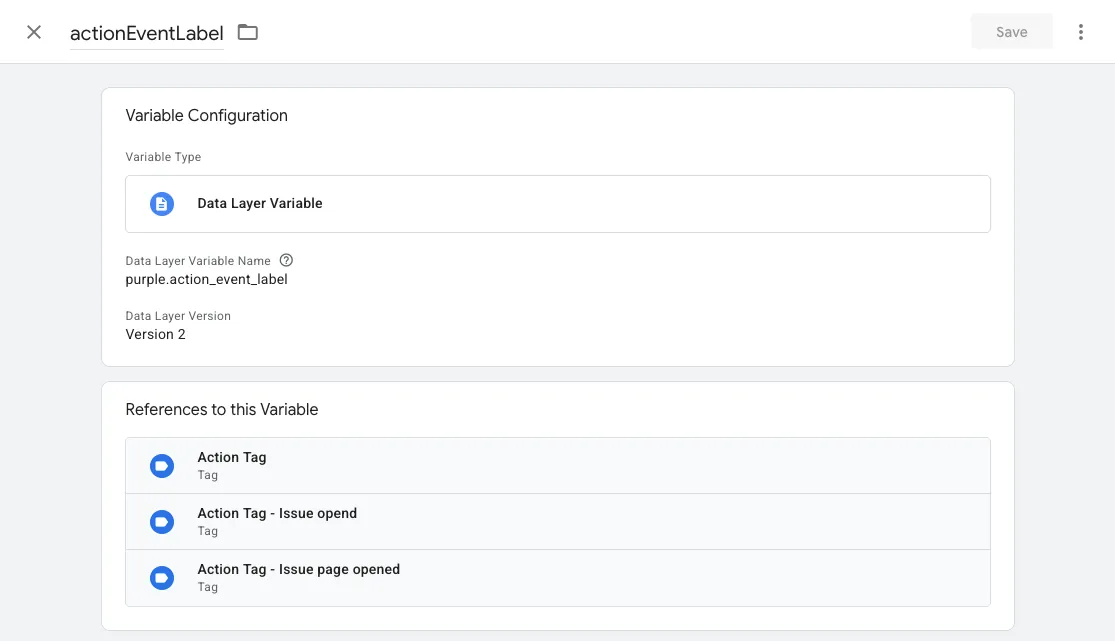
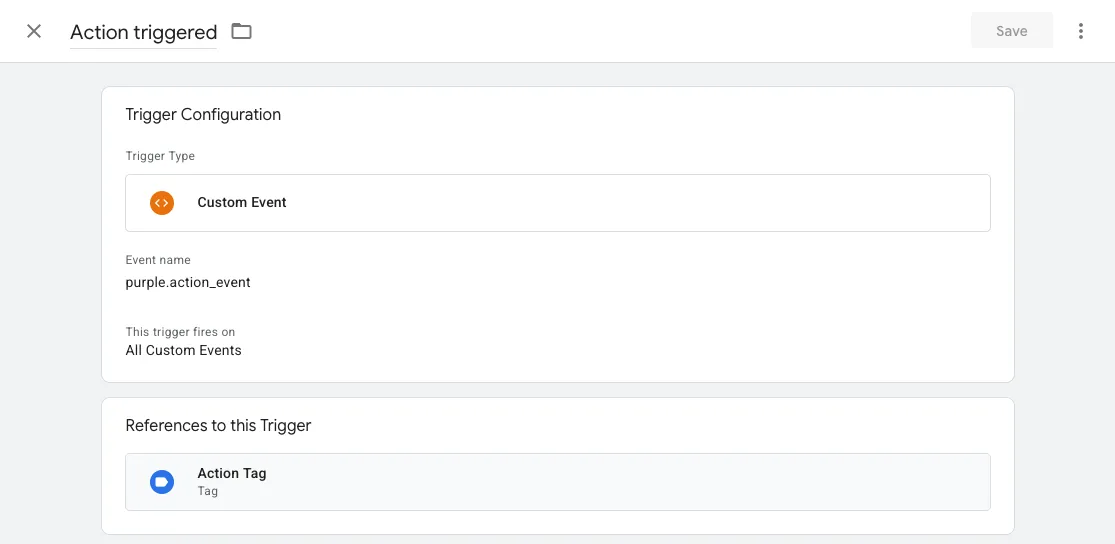
Create the required “trigger” for PXP to push to.
The trigger name defined by Purple is as follows:
Create a “tag” that will run when the trigger fires
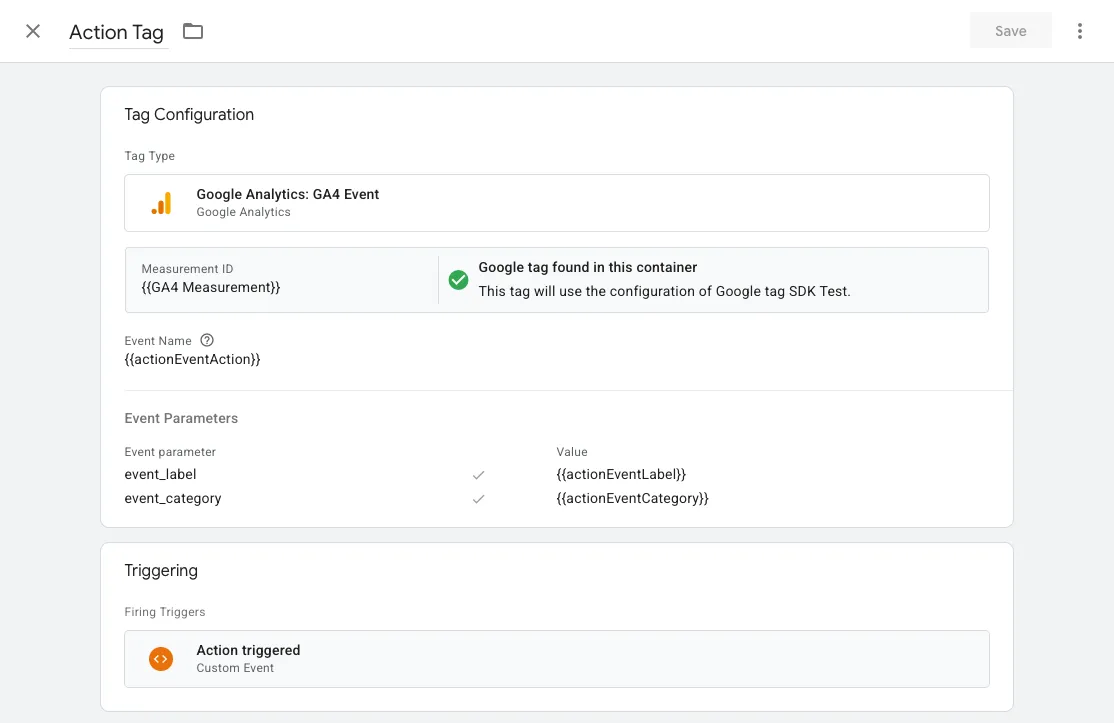
Create a tag that creates a Google Analytics 4 action event using the variables from Step 1 and assign the trigger from Step 2 to define when this tag executes.
Tag
Summary
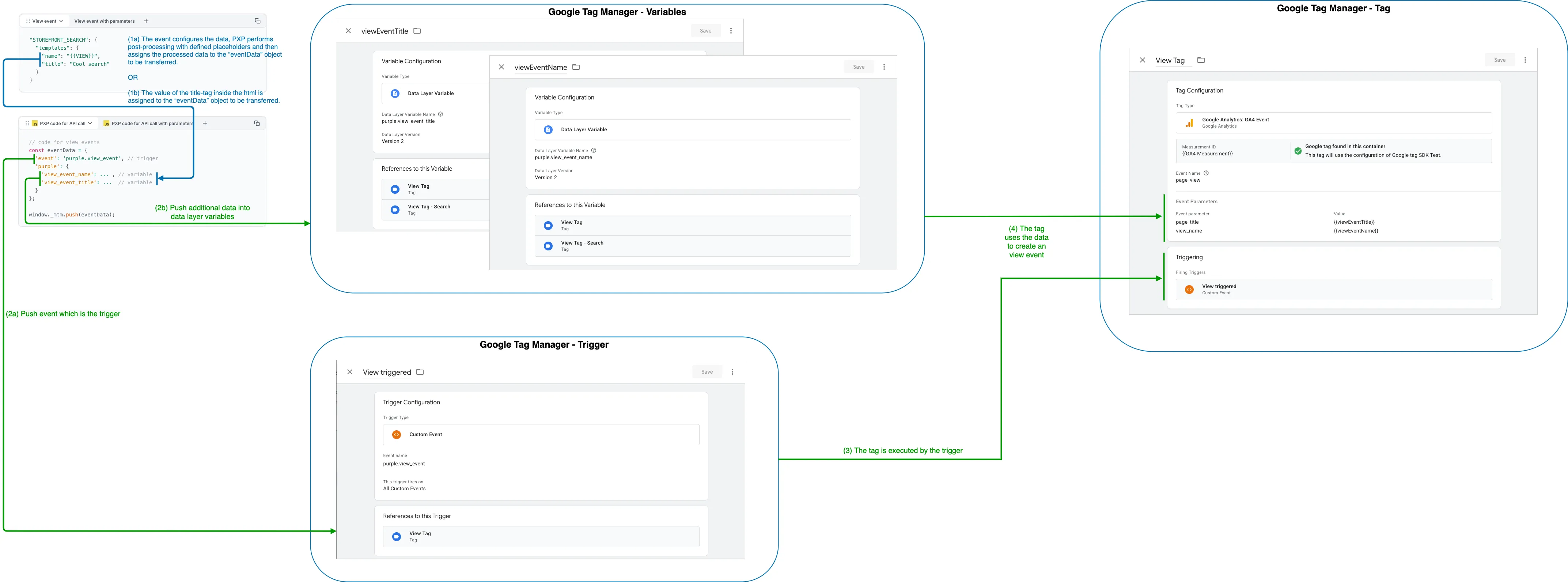
Finally, this is how it works together:
View events
PXP
It starts with a view event configuration. The event "STOREFRONT_SEARCH" is used for the following example.
"STOREFRONT_SEARCH": {
  "templates": {
    "name": "{{VIEW}}",
    "title": "Cool search"
  }
}
Reduced code from PXP
PXP web client pushes
- an "event" that is configured as "Trigger" and
- data that is configured as "Data Layer Variable"
to Google Tag Manager.
The following source code shows a simplified representation of how PXP calls the Google Tag Manager API:
// code for view events
const eventData = {
  'event': view.templates?.trigger ?? 'purple.view_event', // trigger
  'purple': {
    'view_event_name': ... ,  // variable
    'view_event_title': ... , // variable
    'parameters': { ... }     // all configured parameters
  }
};

window.dataLayer.push(eventData);
Configuration in Google Tag Manager
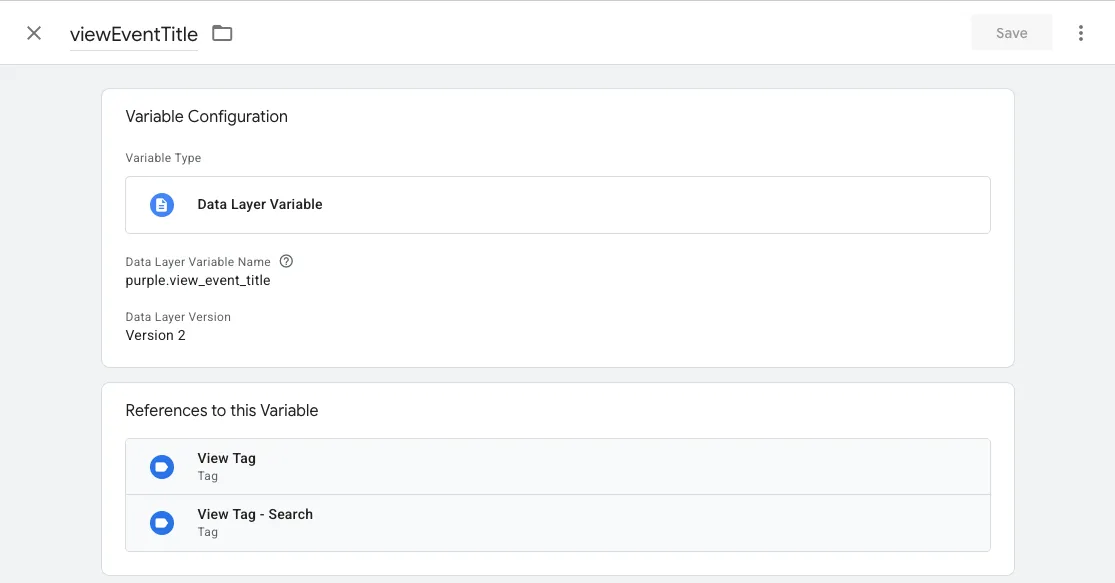
Create the data layer variables to receive data
The variable names defined by Purple are as follows:
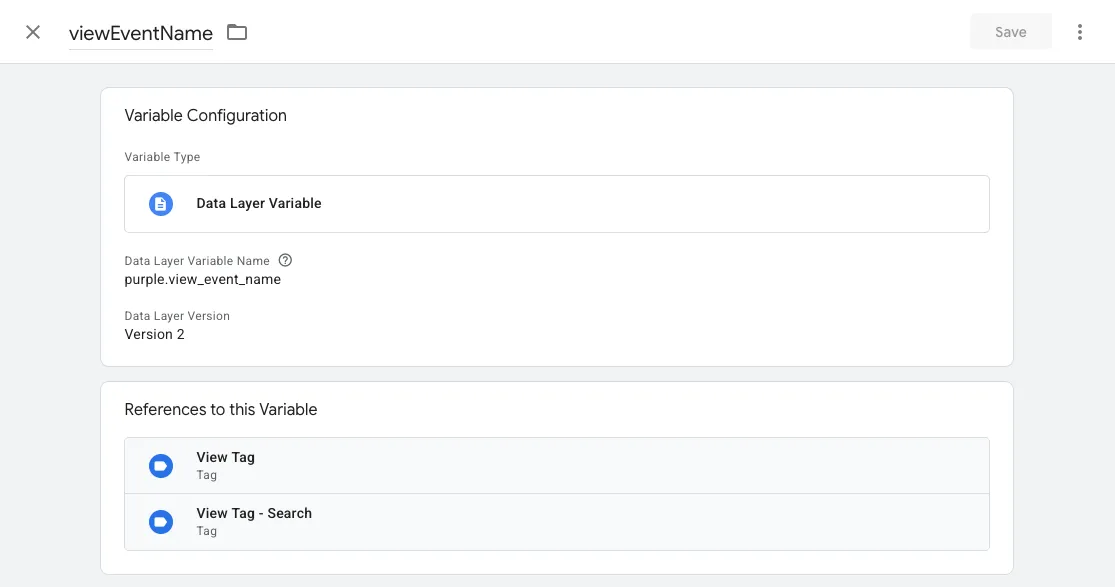
Create the required “Trigger” for PXP to push to.
The trigger name defined by Purple is as follows:
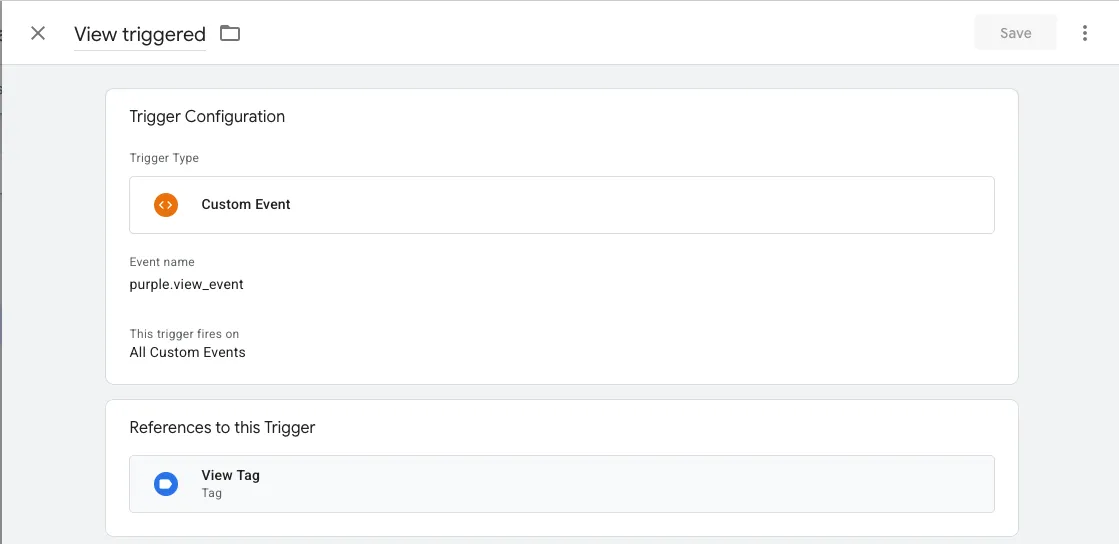
Create a “Tag” that will run when the trigger fires
Create a tag which creates an Google Analytics 4 "page_view" event using the variables from Step 1 and assign the trigger from Step 2 to define when this tag executes.
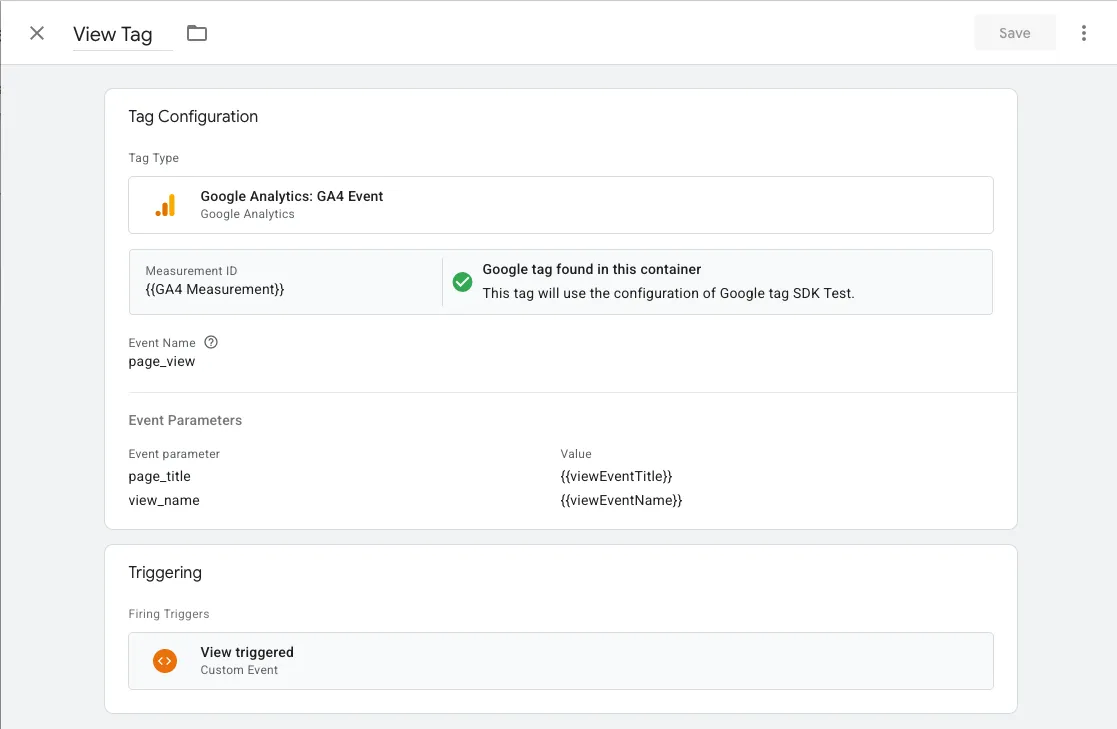
Summary
Finally, this is how it works together: