View events
Getting started
In the graphic below you can see the part that is covered in this chapter:
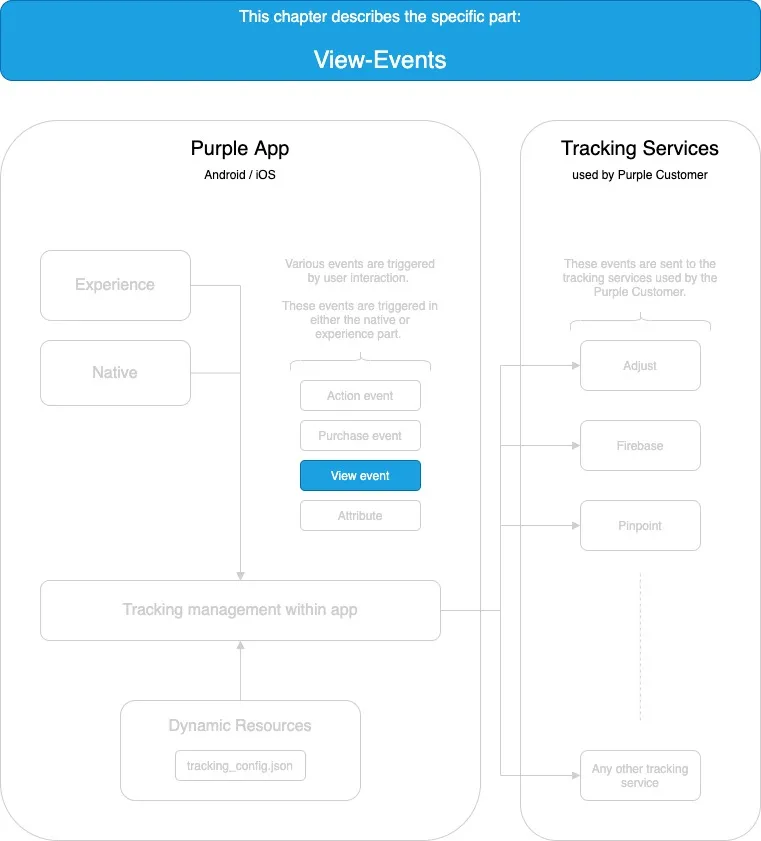
A purple application technically consists of a native part and an experience part that runs within a web view.
The view events in this documentation are listed under the Native app or Experience subchapters based on the origin they occur.
Native app
APP_MENU
No placeholders available.
APP_SHARING
No placeholders available.
ISSUE_CONTENT
Every time an issue inside the issue pager is visible.
ISSUE_PAGE
Every time a page of an issue inside the issue pager is visible
PRESENTER_CONTENT_TOC
Experience - Dynamic composed view events based on views.json
The view event name is composed on a template as follows: STOREFRONT_${transformed_name_of_view} The full view event name is composed at runtime and the value of "name_of_view" is based on the view name field for the corresponding view in the views.json.
The value of name_of_view * will uppercased and * hyphens are replaced with underscores.
Only the standard views are documented in this chapter. The event names can differ based on the configuration ("views.json") of the specific project.
STOREFRONT_BOOKMARKS
The bookmark view has been opened.
STOREFRONT_FEED
The feed view has been opened.
STOREFRONT_HOME
The home view has been opened.
STOREFRONT_ISSUE_DETAILS
The issue details view has been opened.
STOREFRONT_LOGIN
The login view has been opened.
STOREFRONT_NEWSSTAND
Newsstand view has been opened.
STOREFRONT_SEARCH
Search view has been opened.
STOREFRONT_SUBSCRIPTIONS
Subscriptions view has been opened.