Redirect after Login
2 min
To enable correct redirection after login when a fallback action is triggered, the original content URL or a unique content identifier must be provided. This allows PXP to resolve and open the intended content when the application is launched from the customer’s entitlement system.
Configuration steps
1. Configure a fallback for the content.
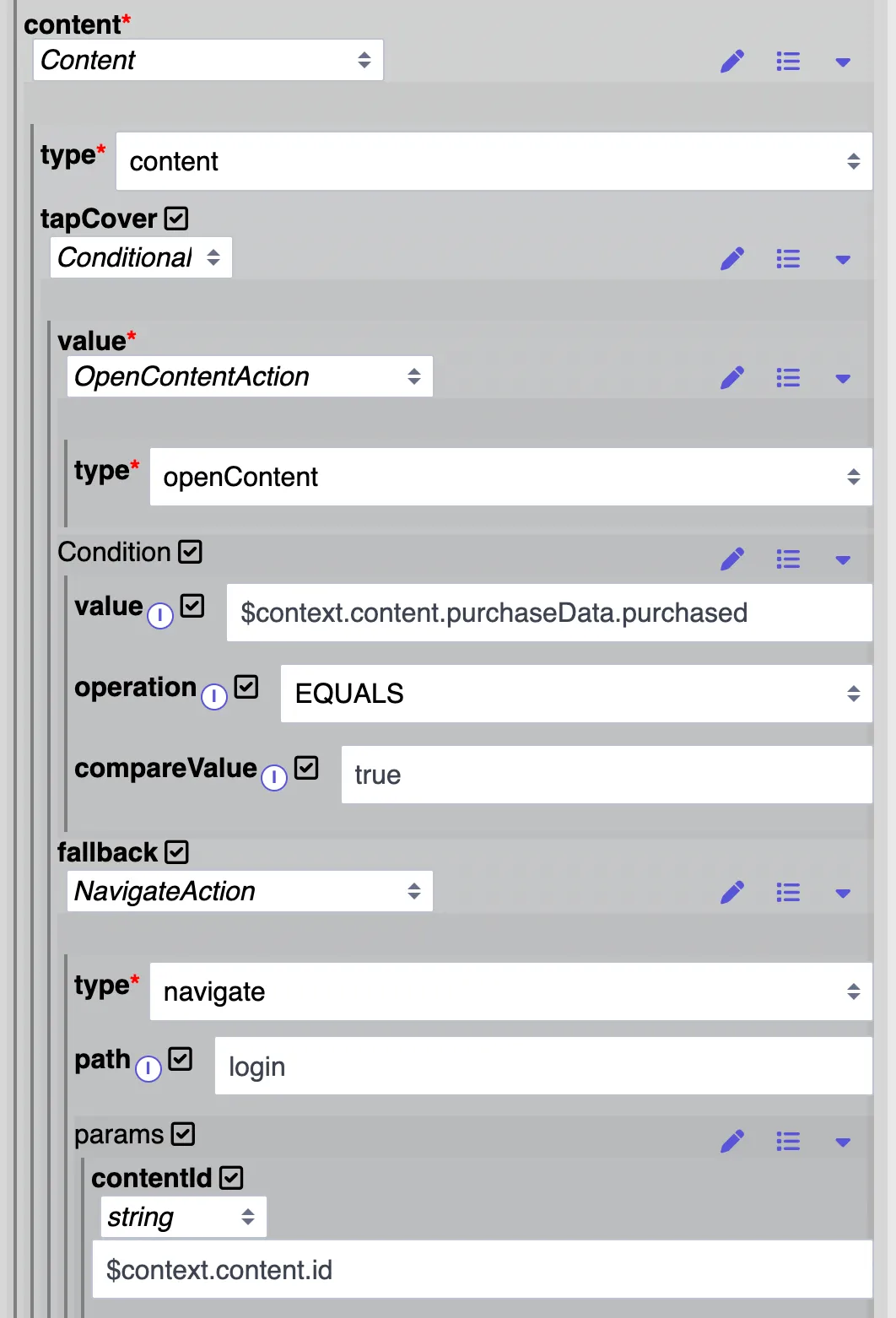
- The condition opens the content via openContentAction if content is purchased or triggers the fallback if it's not purchased.
- The fallback opens the login page
- The content ID is passed as a param to the login page (PXP developer may configure the param name according to project requirements)
2 . Configure an onSuccess action for the login component.
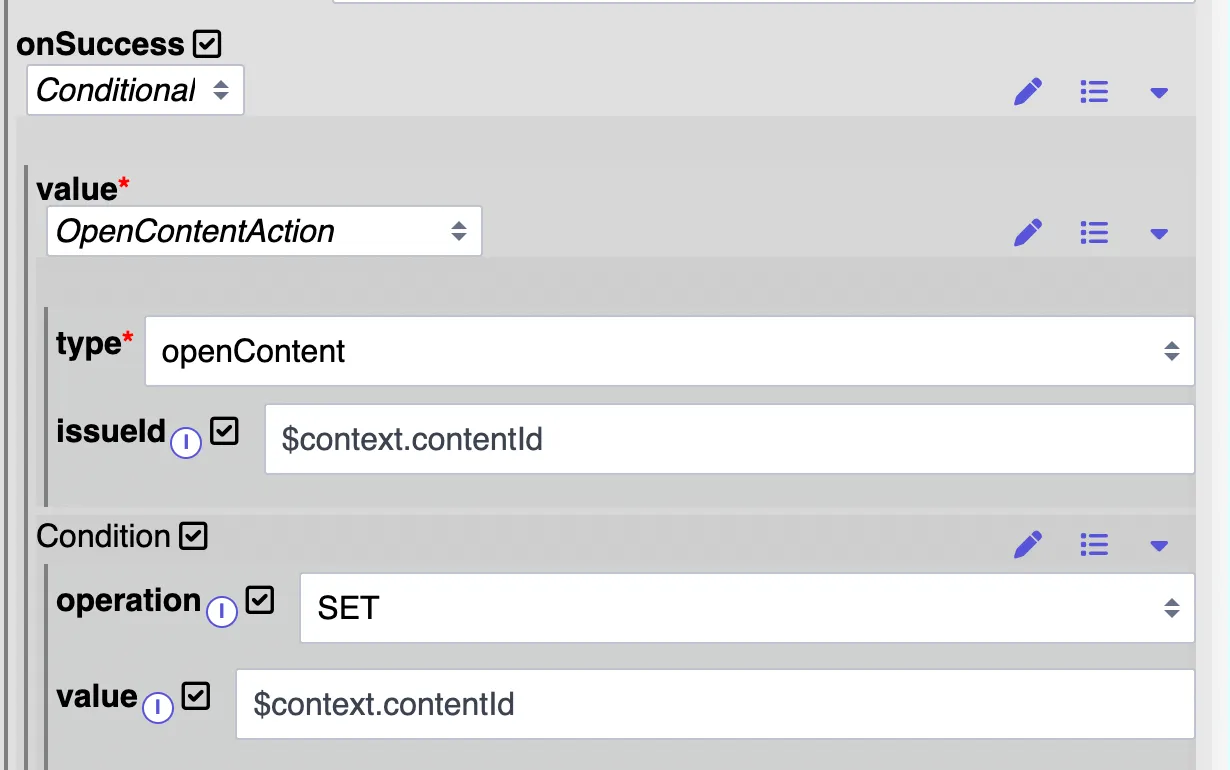
- The onSuccess action is set per condition to only be used if the content ID parameter is available.